

Plans change—and that's perfectly okay! Whether a meeting time shifts, a call gets rescheduled, or you need to add fresh notes after a conversation, keeping your activities current ensures Smackdab stays accurate and useful. Updating an activity takes just moments and helps you (and your team) stay in sync with what's really happening with your customers.
Let's walk through how easy it is to make changes and keep everything running smoothly.
How to Update an Activity
Navigate to Activities
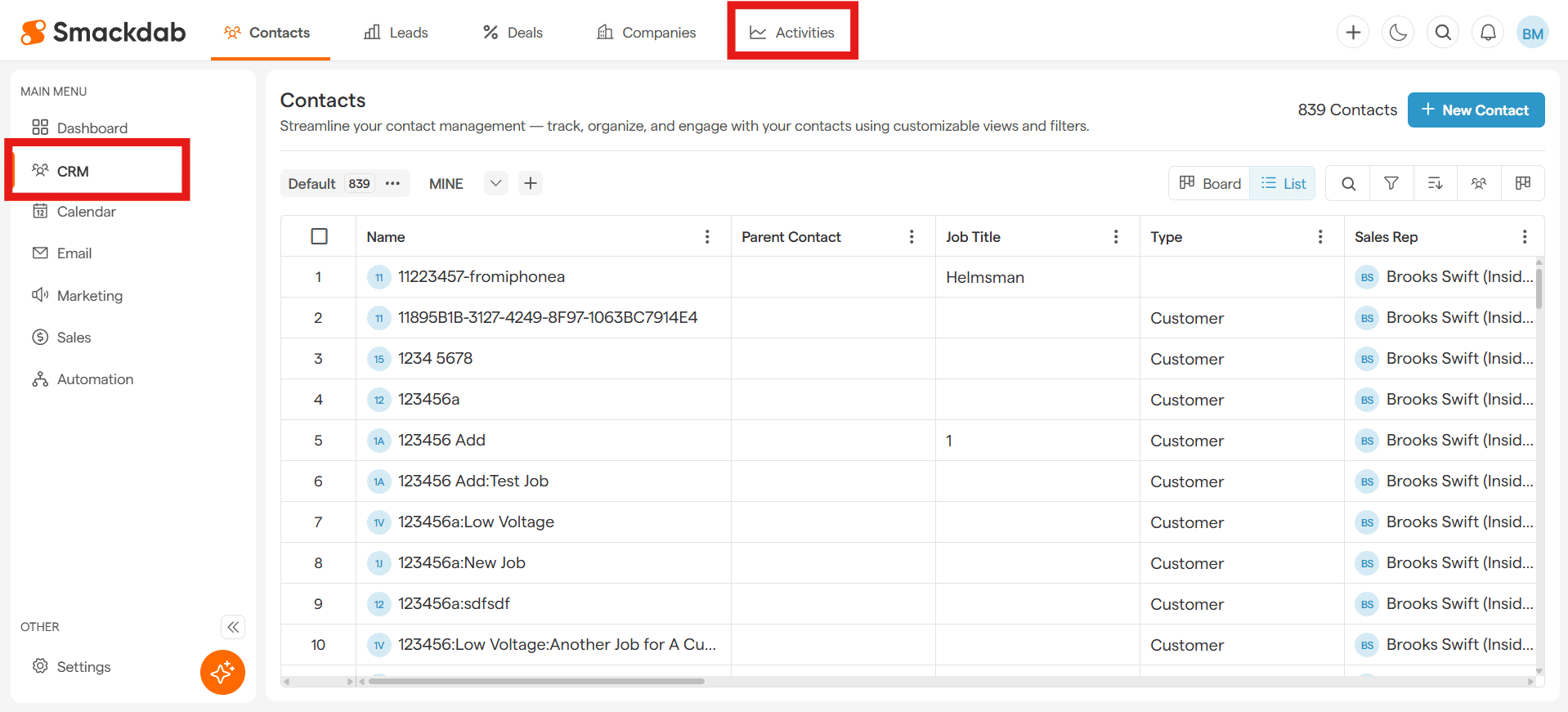
After selecting CRM from the Main Menu, select Activities from the top menu bar.
Select an Activity
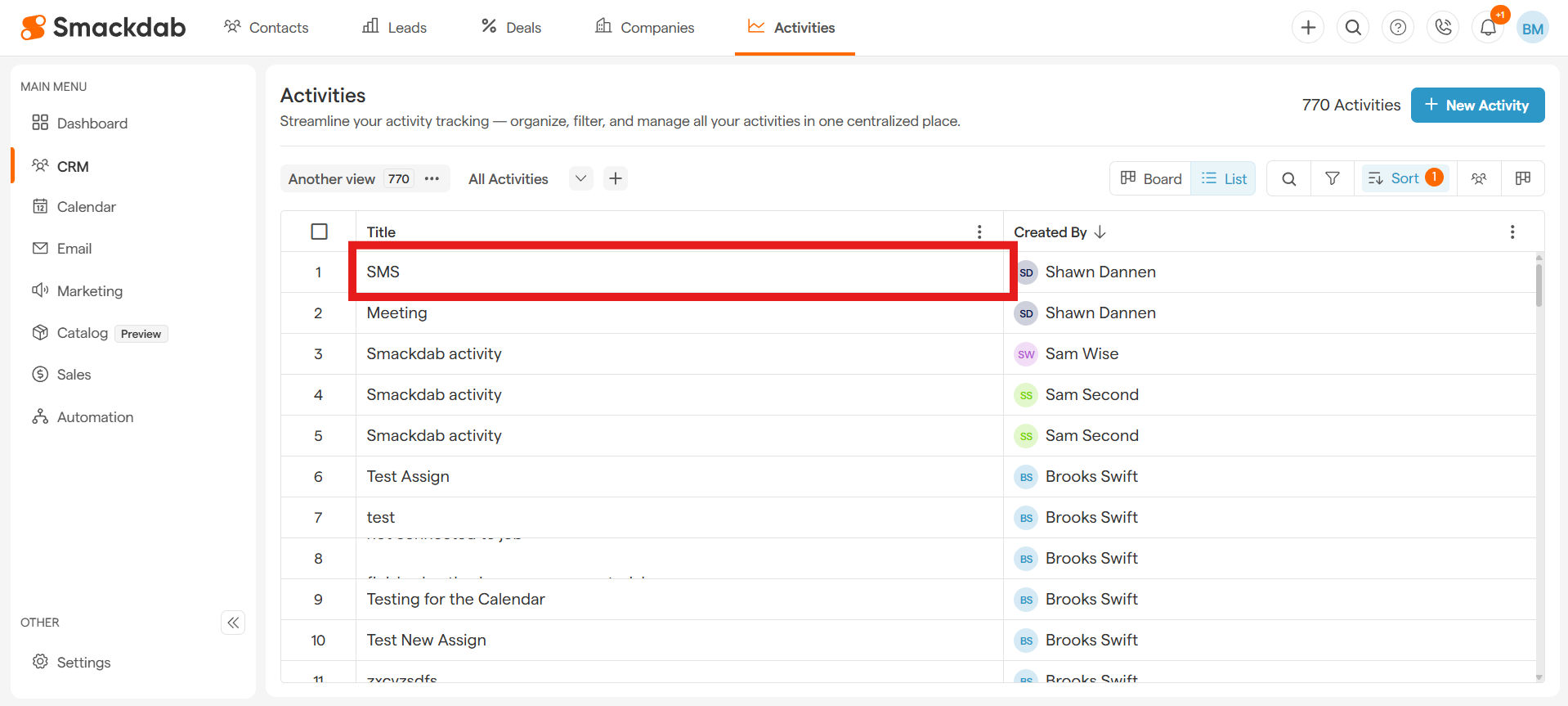
Find and select the activity you want to follow under Title.
-
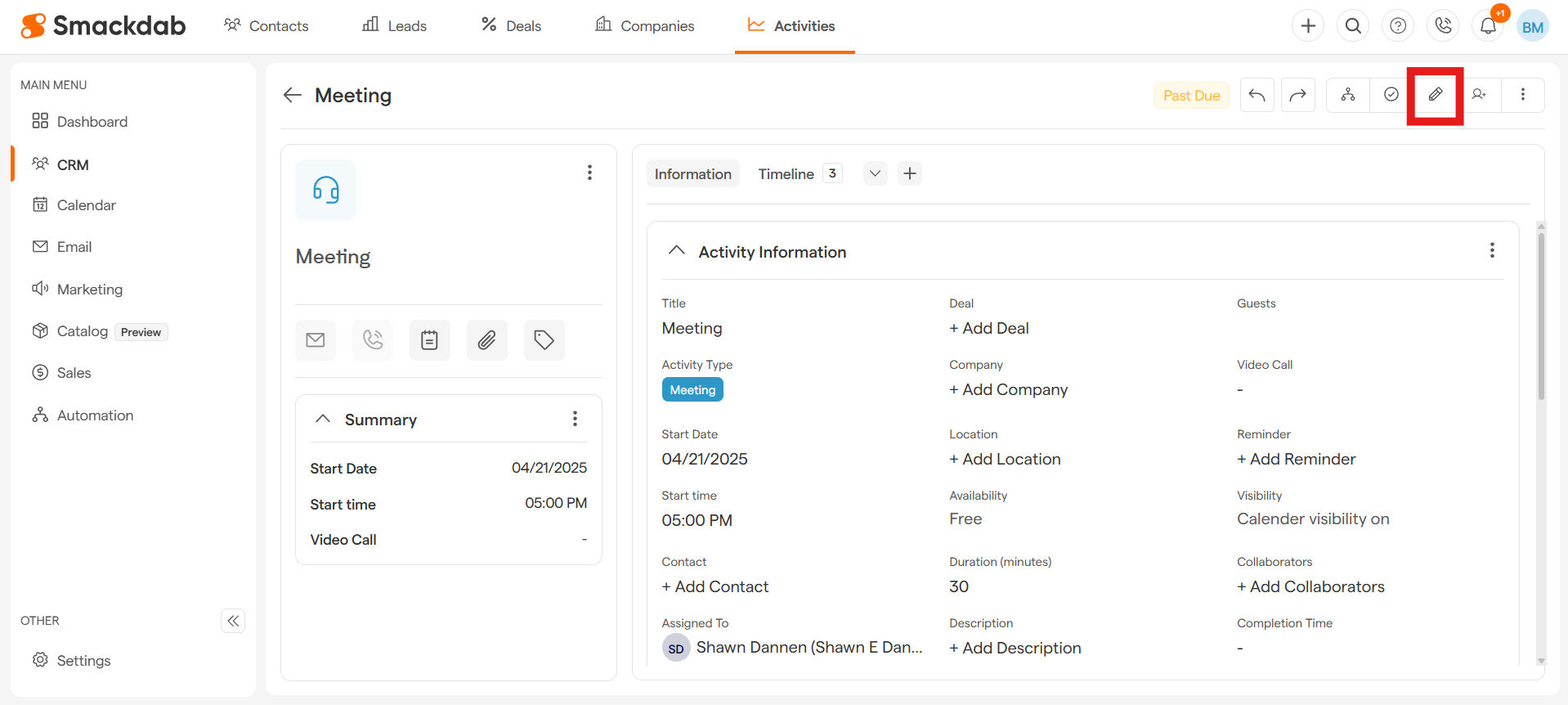
Select Edit
Update Activity
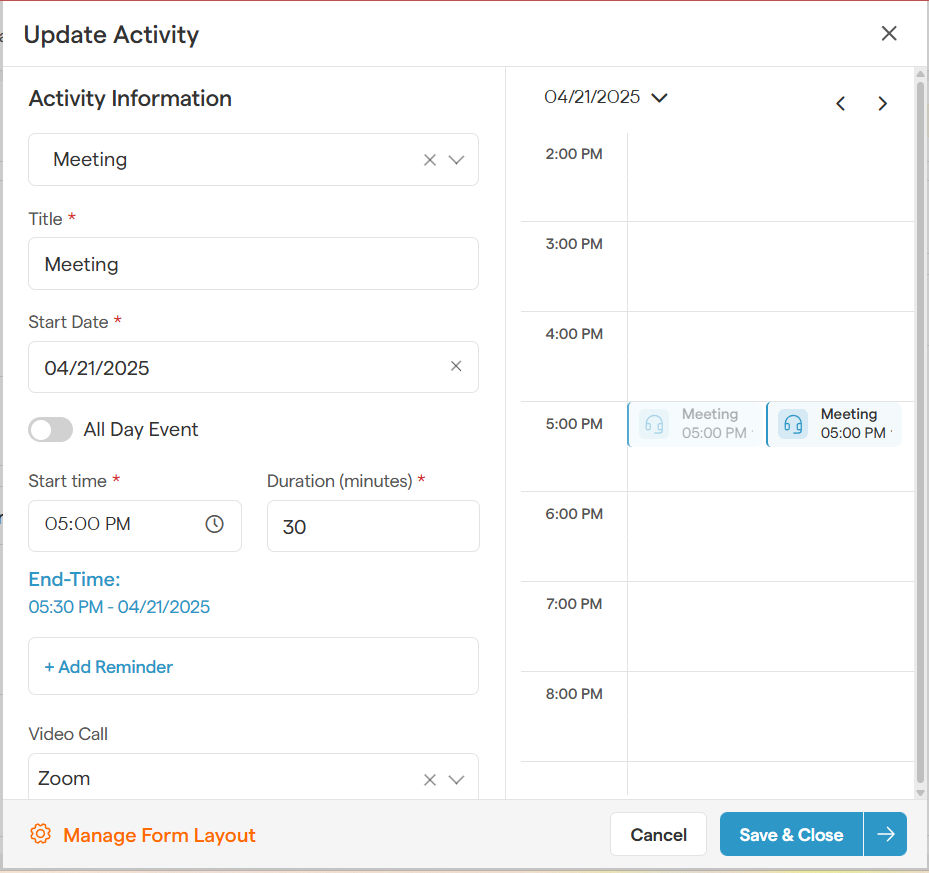
Update start time, collaborators, or details - just like when you first added the activity. The process stays the same and is just as simple, making updates quick and effortless!
Save & Close
Hit Save & Close, and boom—your activity is refreshed instantly!
Updating activities in Smackdab is as smooth as adding them—quick, easy, and hassle-free! So go ahead, keep your data up to date, and let Smackdab handle the rest!