

Want to customize your activity tracking to match your workflow?
No worries! You can easily create a new activity type in just a few clicks. Smackdab.ai lets you tailor activity types to suit your business needs—whether it's customer interactions, internal tasks, or sales follow-ups.
Let’s walk you through the process!
How to Create a New Activity Type
-
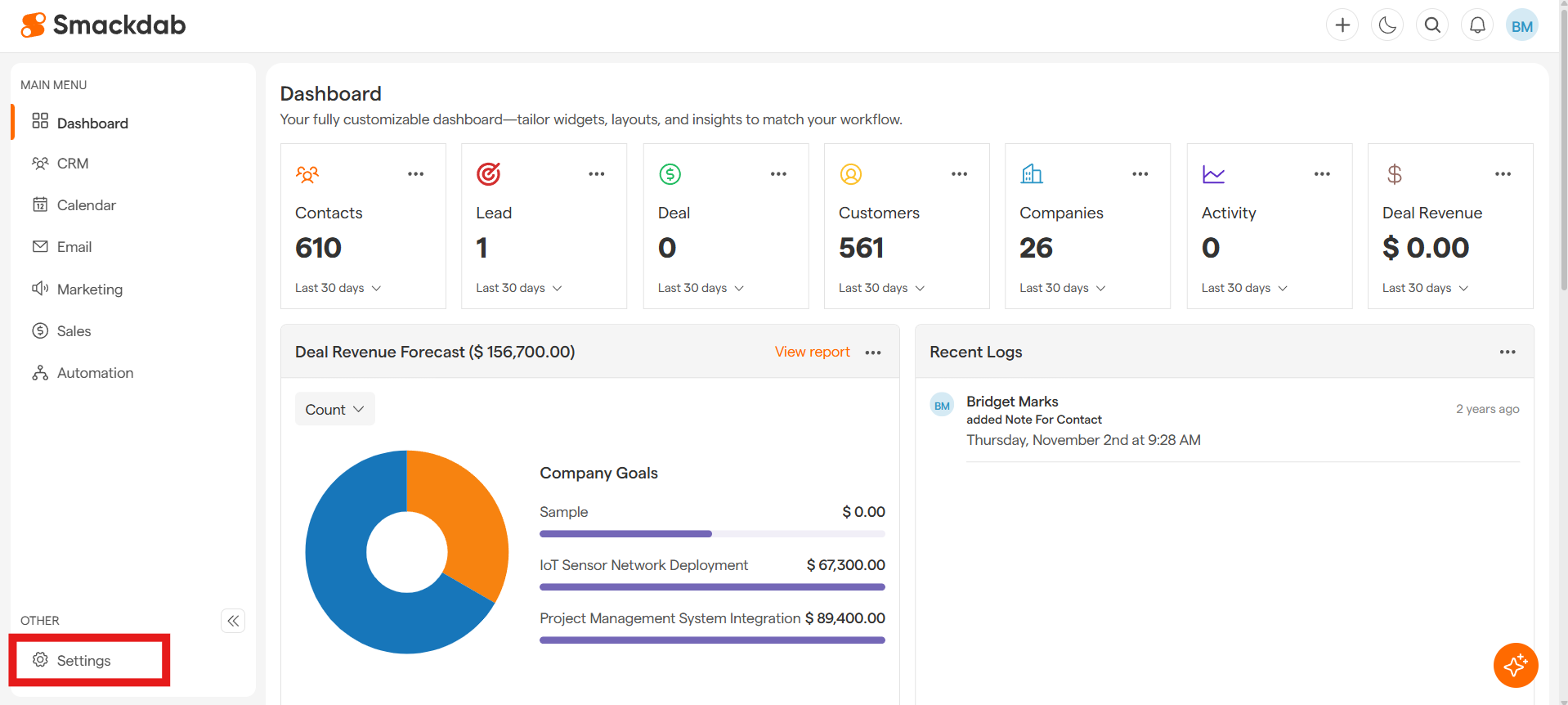
Go to Settings
-
Customization
Under the Settings menu, select the Customization dropdown, then select the Modules dropdown, then select the Activity dropdown, then select Setting.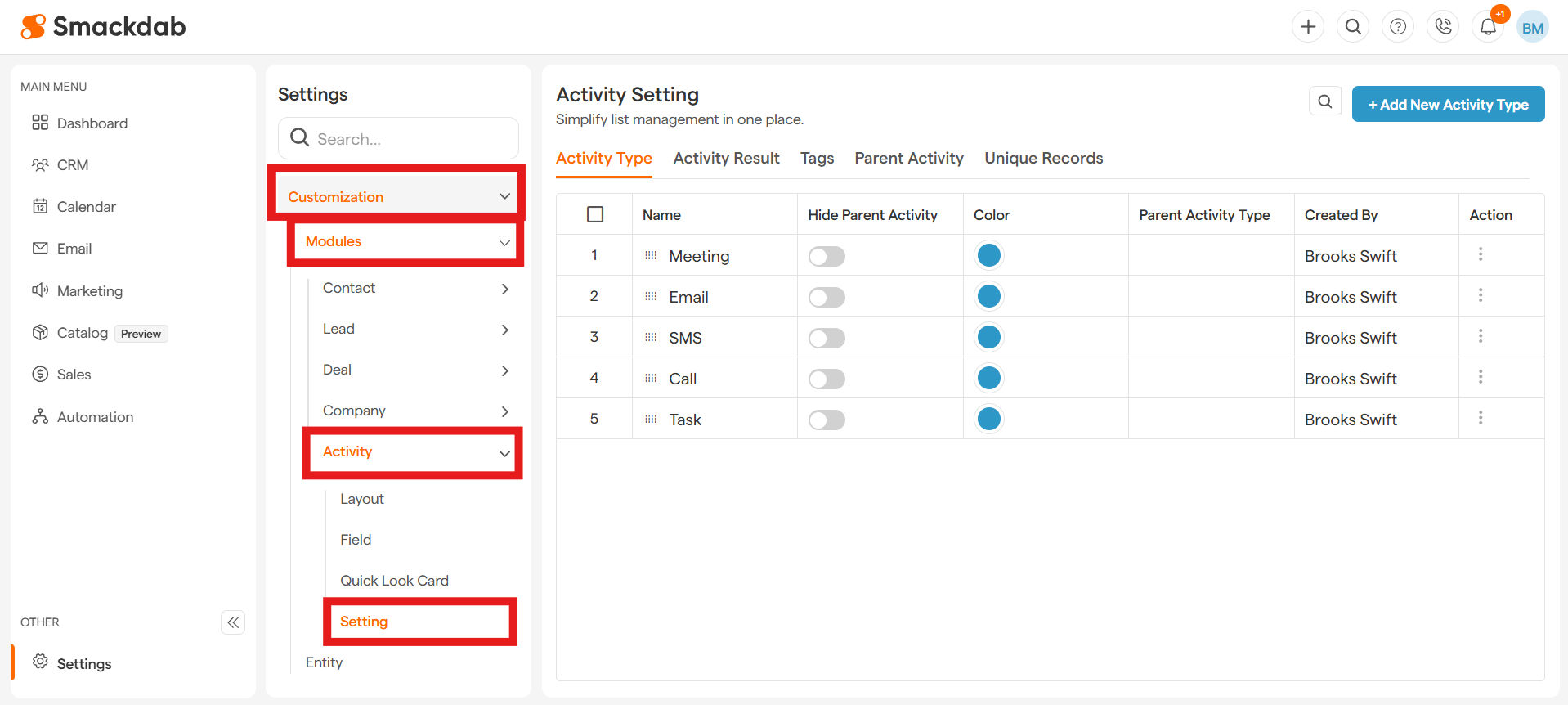
-
Add New Activity Type
In the Activity Type tab, select + Add New Activity Type in the upper, right corner.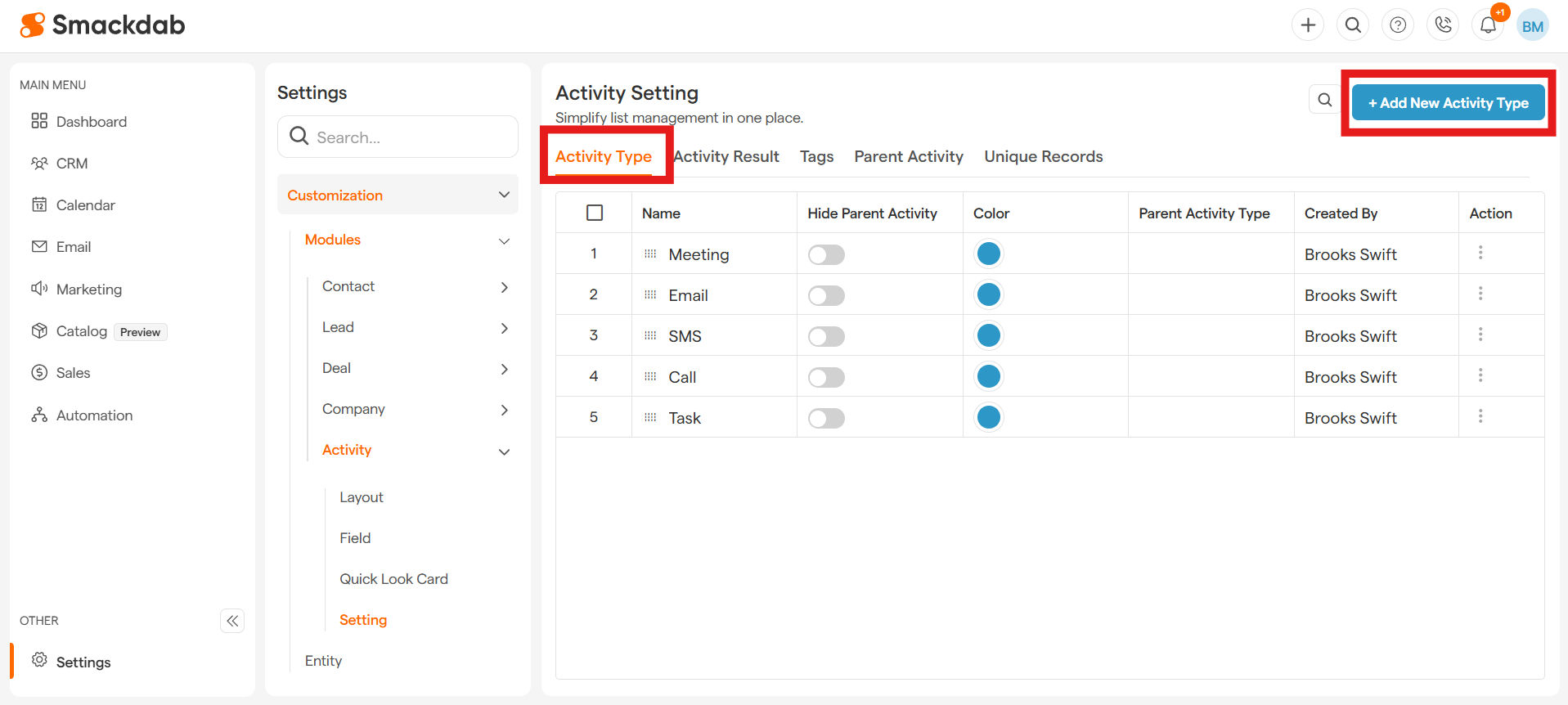
-
Add Activity Type details
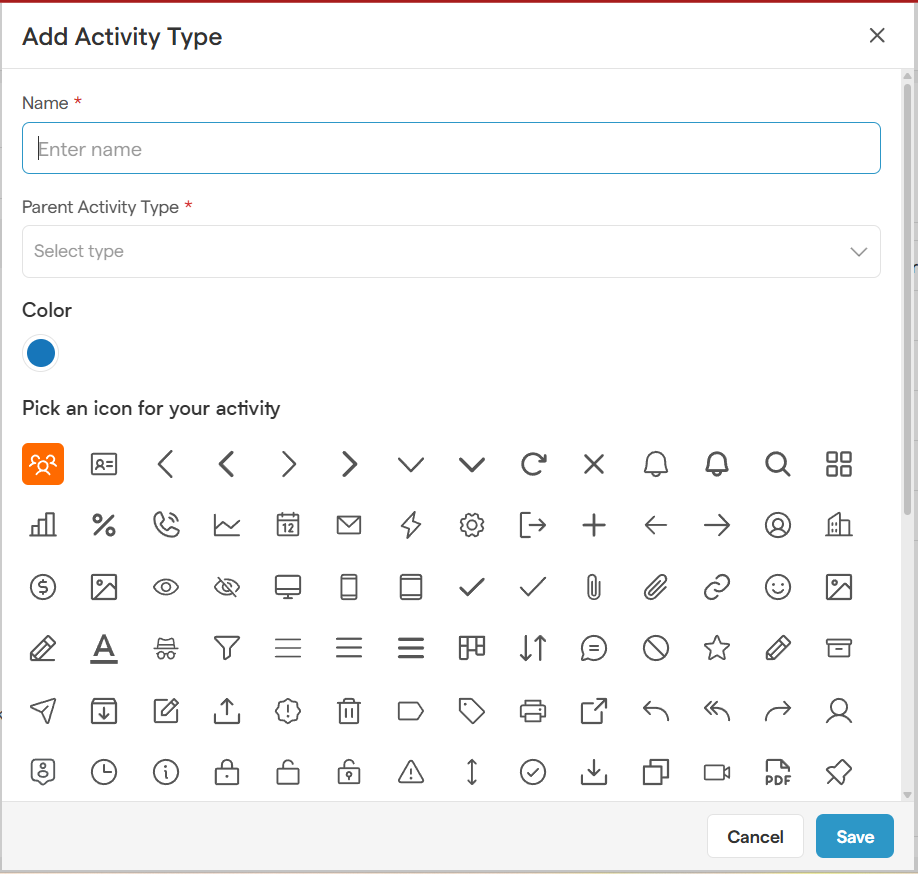
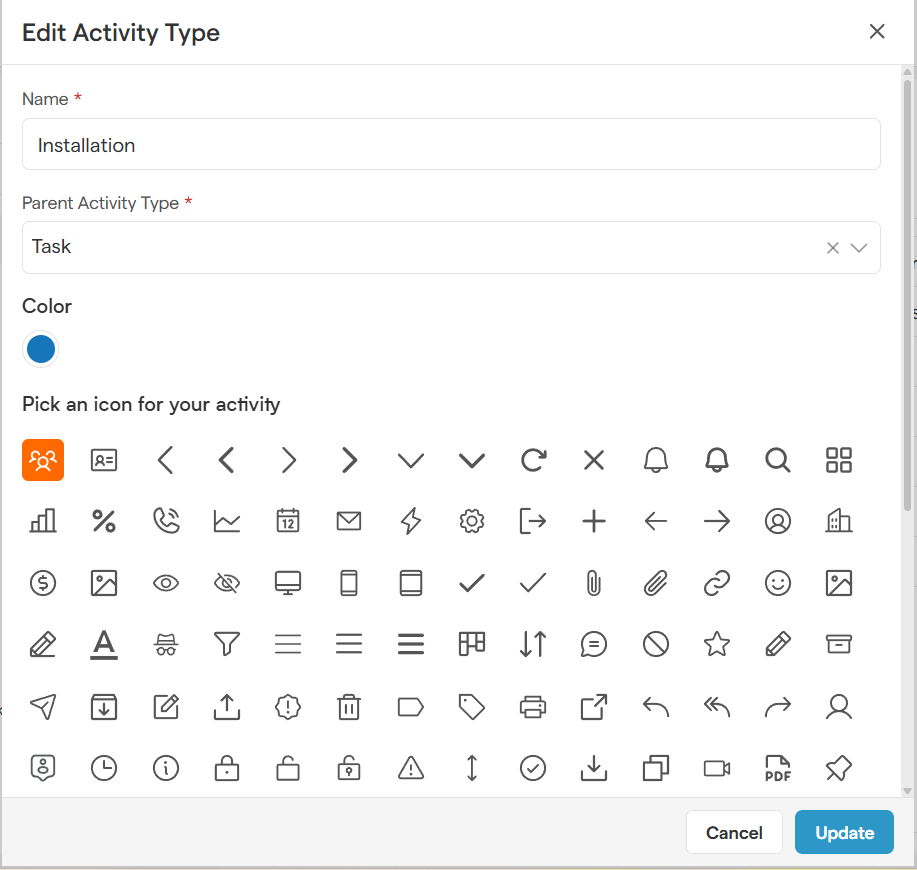
Enter a name for your new activity type (e.g., "Follow-up Call" or "Demo Scheduled") and choose a parent category from the drop-down options.Optionally, you can select a color and/or icon to visually distinguish your activity type.
Save
Click Save, and your new activity type is ready to use!
Editing an Existing Activity Type
Need to update an existing activity type? You can modify names, icons, colors, and parent categories anytime!
-
Go to Settings
-
Customization
Under the Settings menu, select the Customization dropdown, then select the Modules dropdown, then select the Activity dropdown, then select Setting. -
Edit
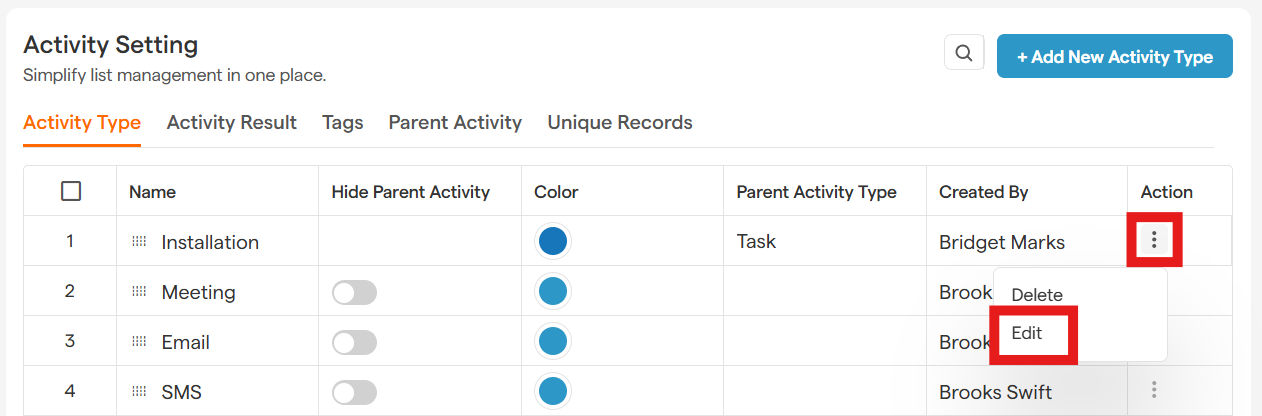
In the Activity Type tab, select the Three Dot Menu for the activity type you want to edit under the Action header. Then select Edit.
-
Update
Make the necessary changes and select Update.
Deleting an Activity Type
Want to remove an activity type that’s no longer relevant? Smackdab.ai makes it easy!
-
Go to Settings
-
Customization
Under the Settings menu, select the Customization dropdown, then select the Modules dropdown, then select the Activity dropdown, then select Setting. -
Delete
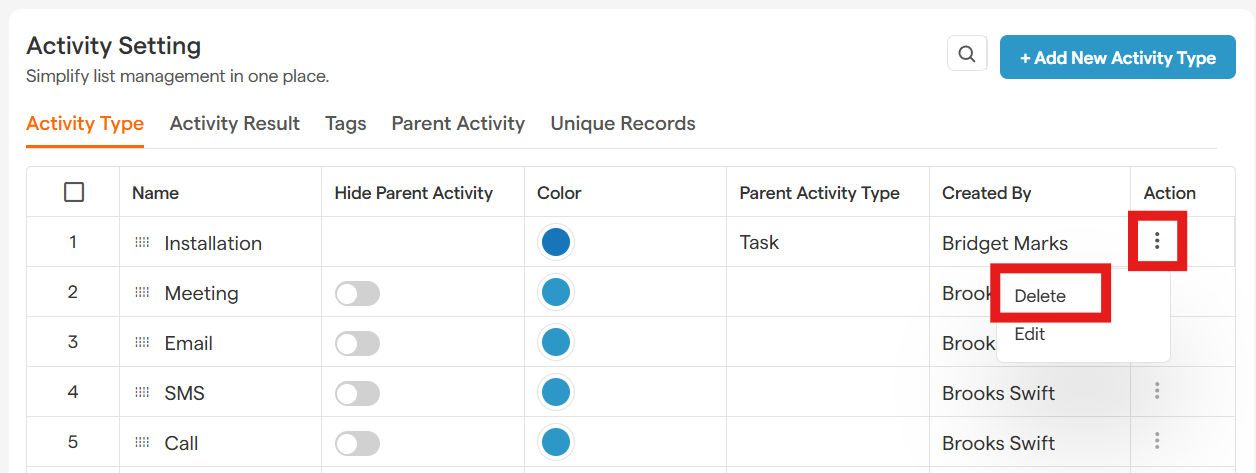
In the Activity Type tab, select the Three Dot Menu for the activity type you want to delete under the Action header. Then select Delete.
-
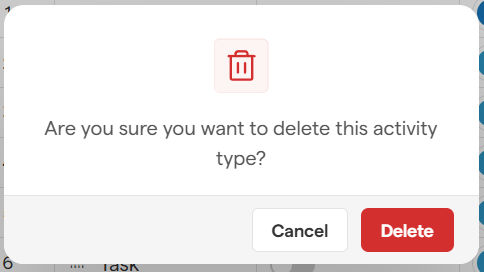
Select Delete to Confirm
That’s it! Smackdab.ai makes activity customization effortless, so you can streamline your workflow with ease.