

Smackdab allows you to use pre-defined templated views to quickly filter and organize your CRM entity records, including Contacts, Deals, Companies, and Activities. These templated views help you access commonly used record lists without manually creating filters from scratch. This feature makes it easier to focus on the right data and work more efficiently.
What Are Templated Views?
Templated views are available across CRM entities such as Contacts, Deals, Companies, and Activities, helping you manage each module more efficiently. Templated views are ready-made views provided by Smackdab that automatically apply useful filters to your entity list.
For example:
All Contacts – shows all contacts in your CRM
My Contacts – shows only contacts assigned to you
Once selected, the view is created instantly and your record list updates based on the template’s criteria.
How to Add a New View Using Templates
Follow these steps to add a new templated view:
-
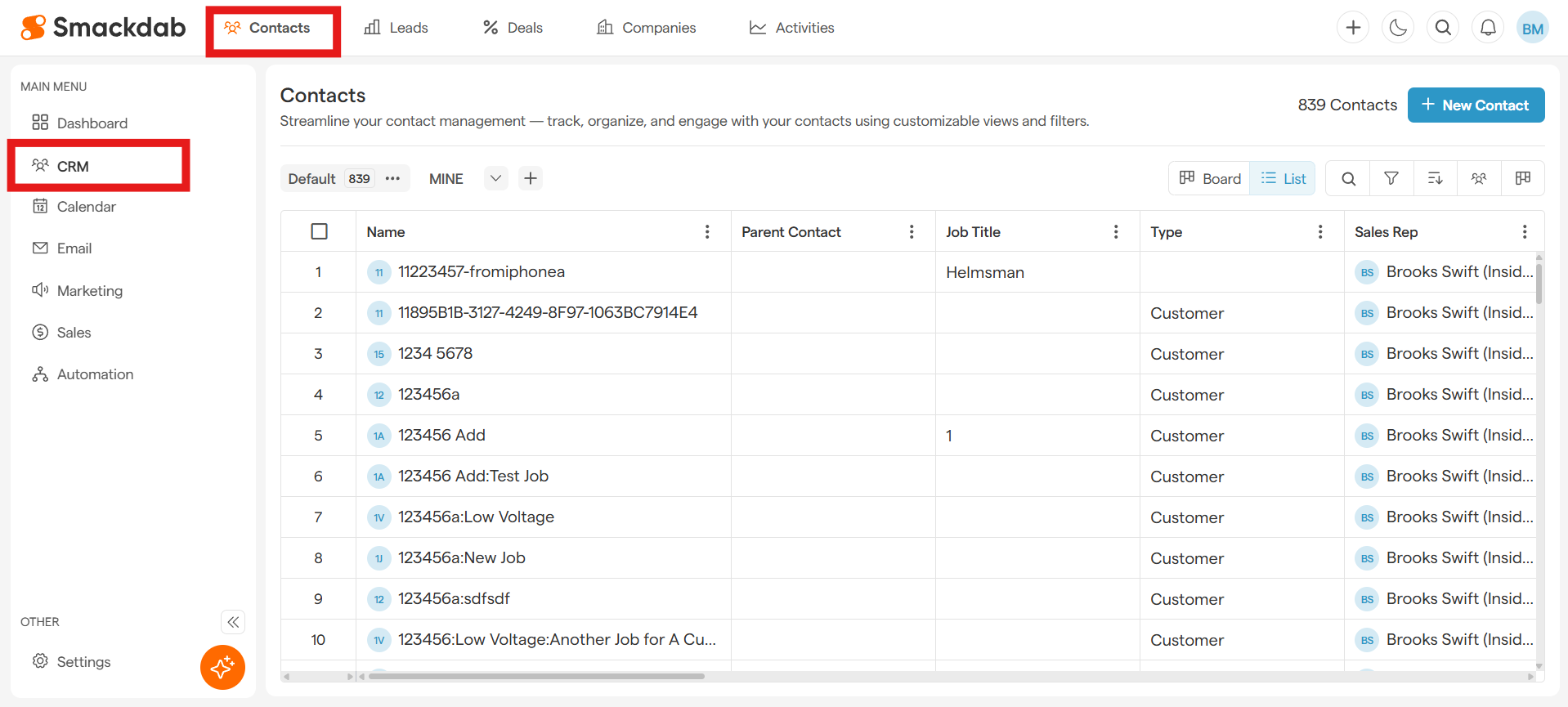
Navigate to the required module (for example, Contacts).
-
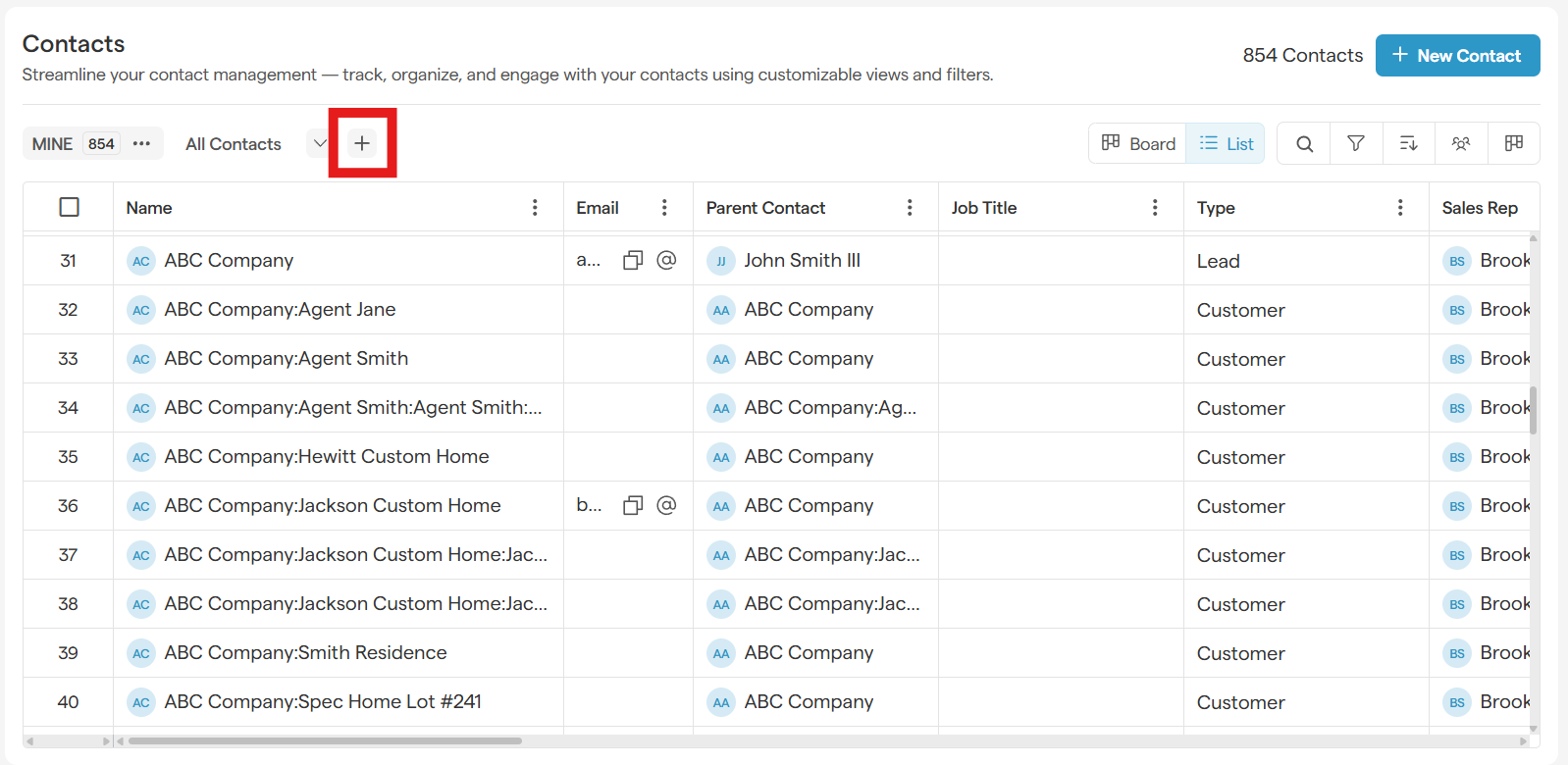
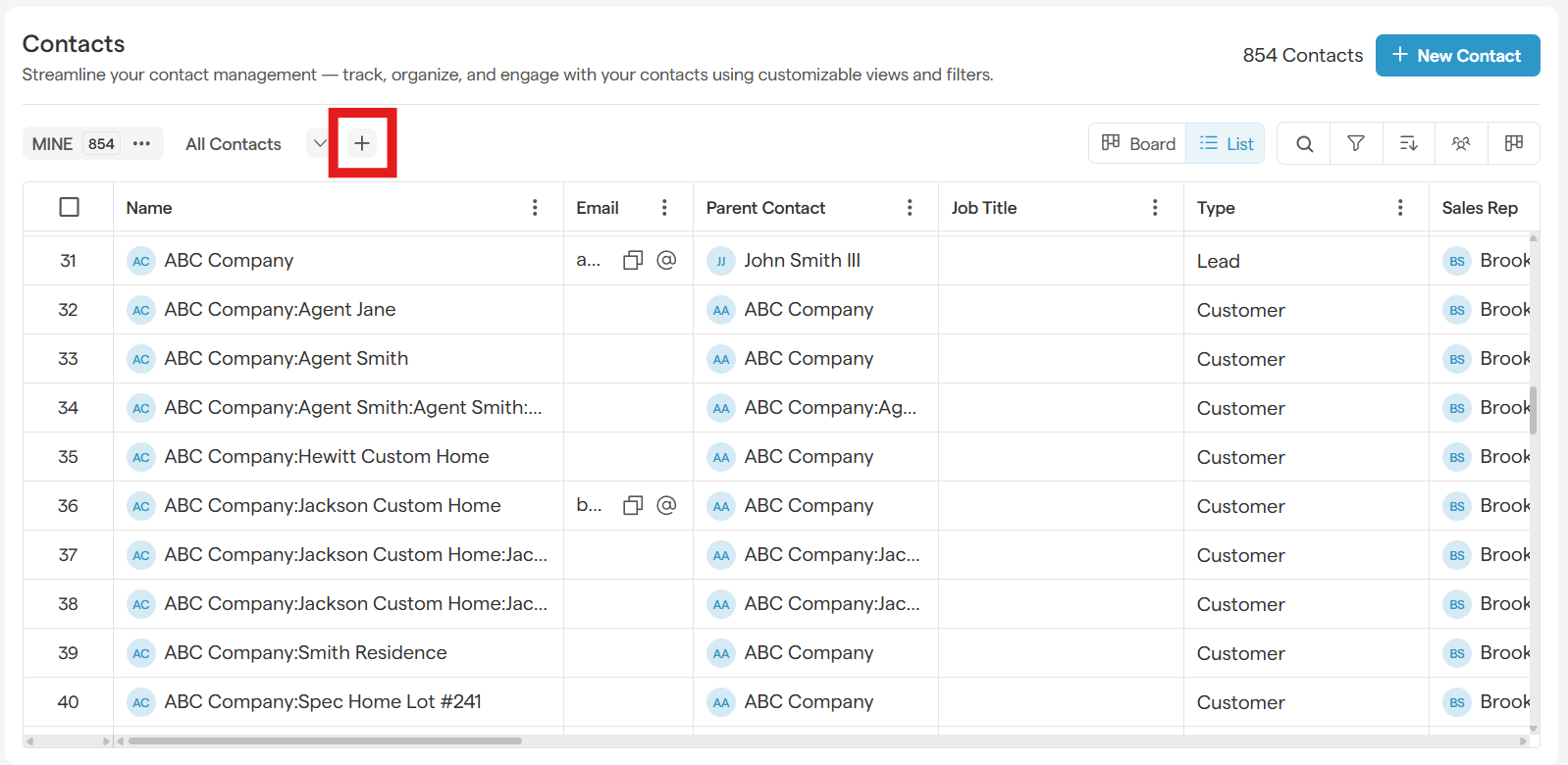
From the entity list header, click the + (Add View) icon next to the default view.
-
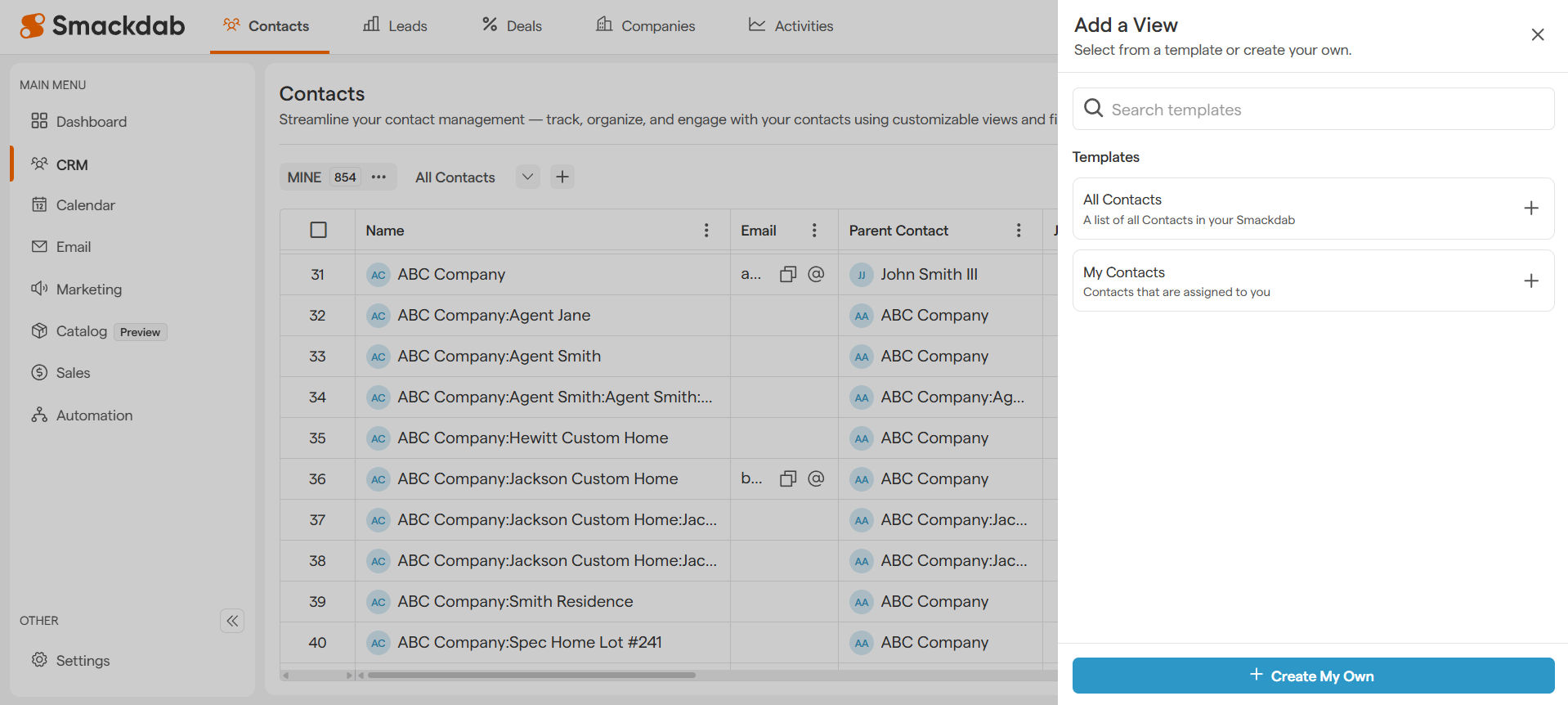
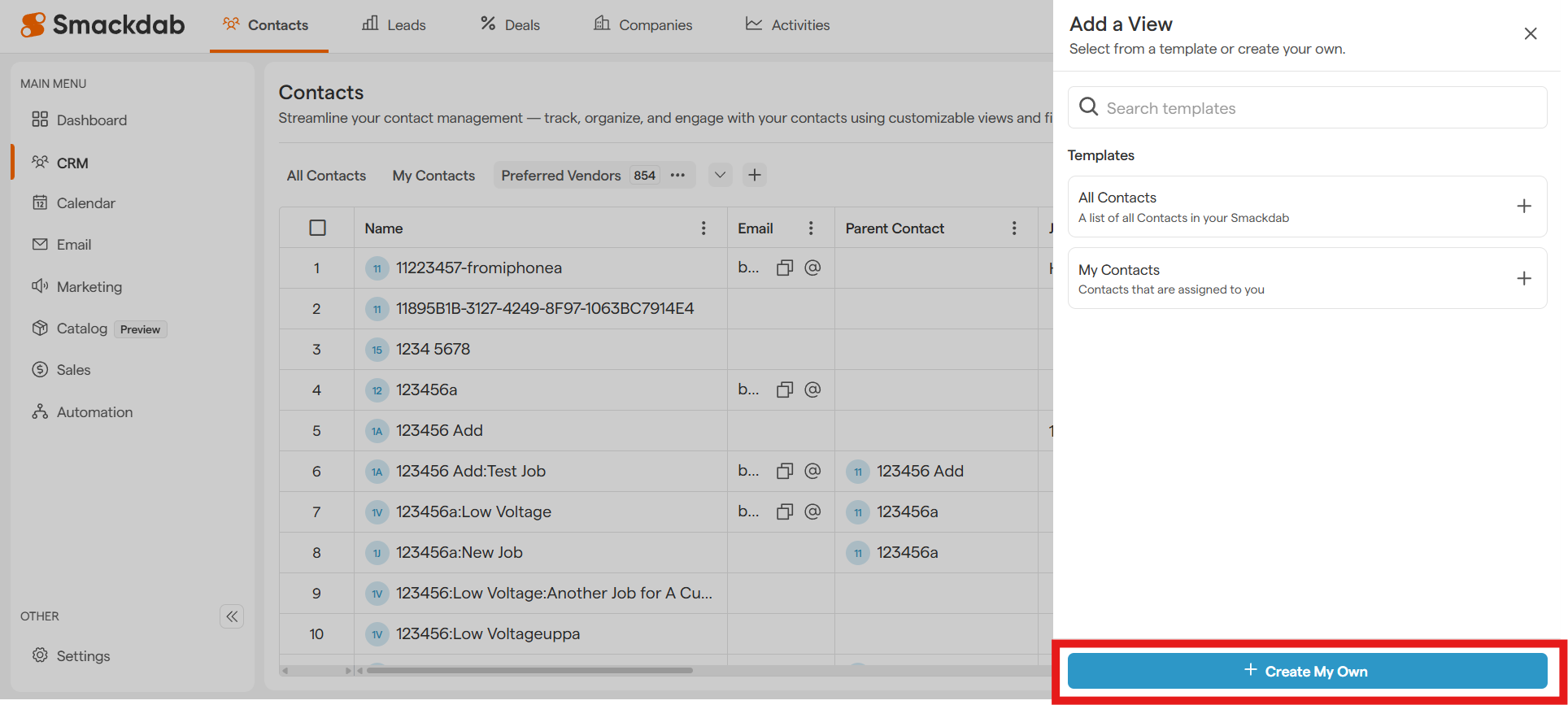
The Add a View panel will open on the right side.
-
Under Templates, you will see a list of pre-defined views such as All Contacts and My Contacts.
Click the + icon next to the template you want to use.
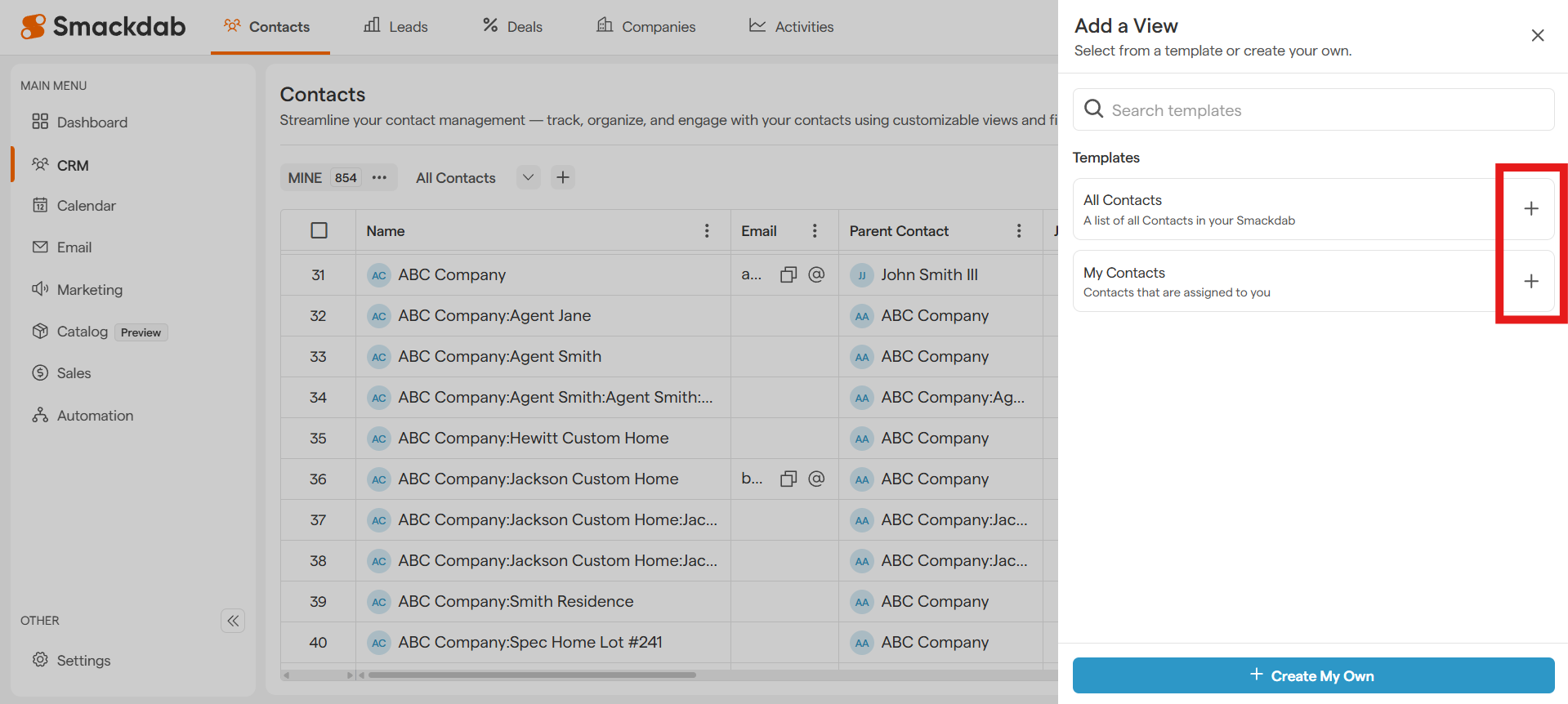
Once selected, the view will be created automatically.
Using a Templated View
After adding a templated view:
-
The new view appears in the view list at the top of the entity page.
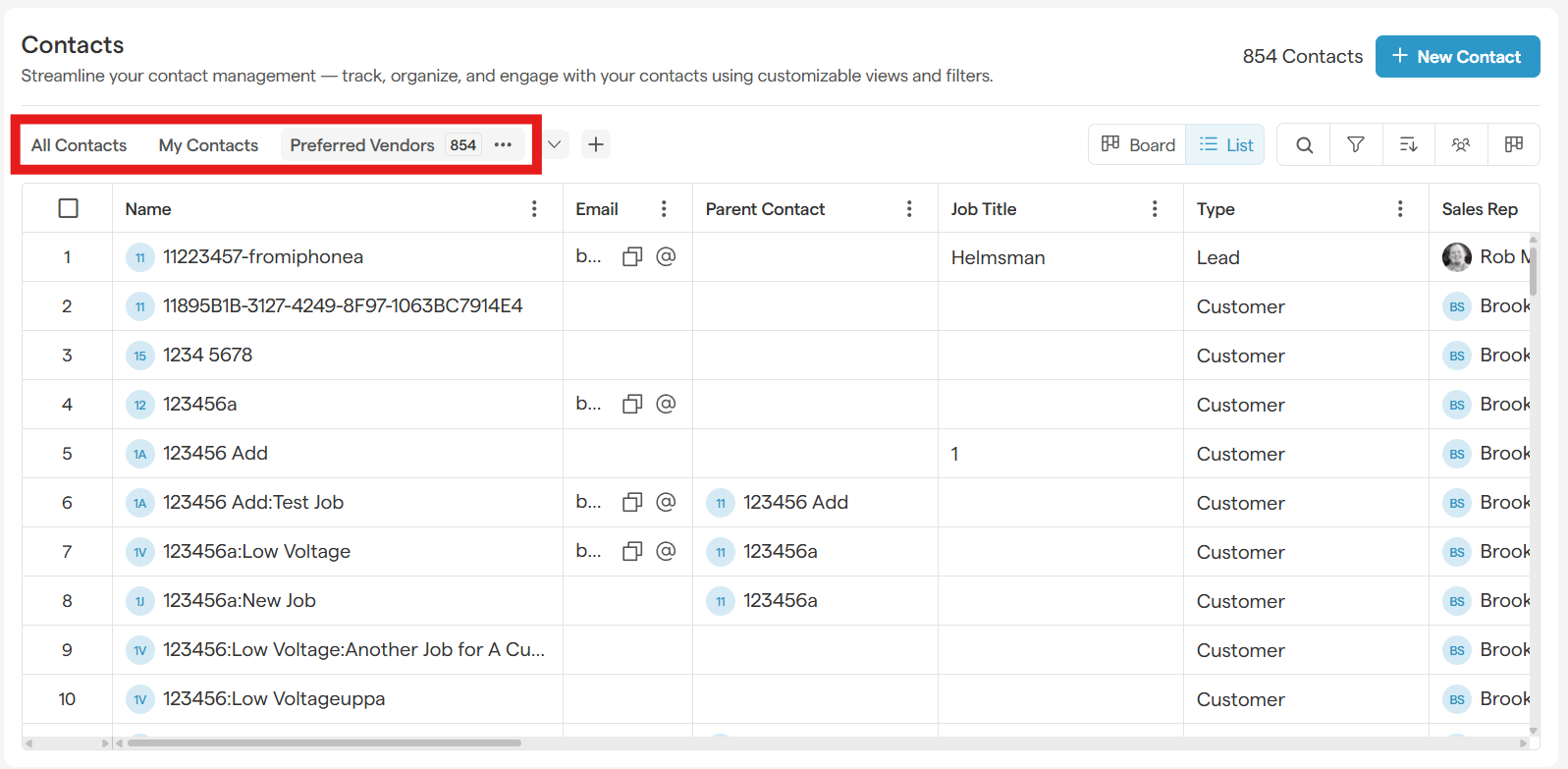
Click on the view name to activate it.
The record list updates automatically based on the selected template’s filters.
You can switch between different views at any time to quickly change how your data is displayed.
How to Create Your Own Custom View
If the pre-defined templates don’t meet your requirements, you can create a custom view:
-
Click the + (Add View) icon.
-
In the Add a View panel, select + Create My Own.
-
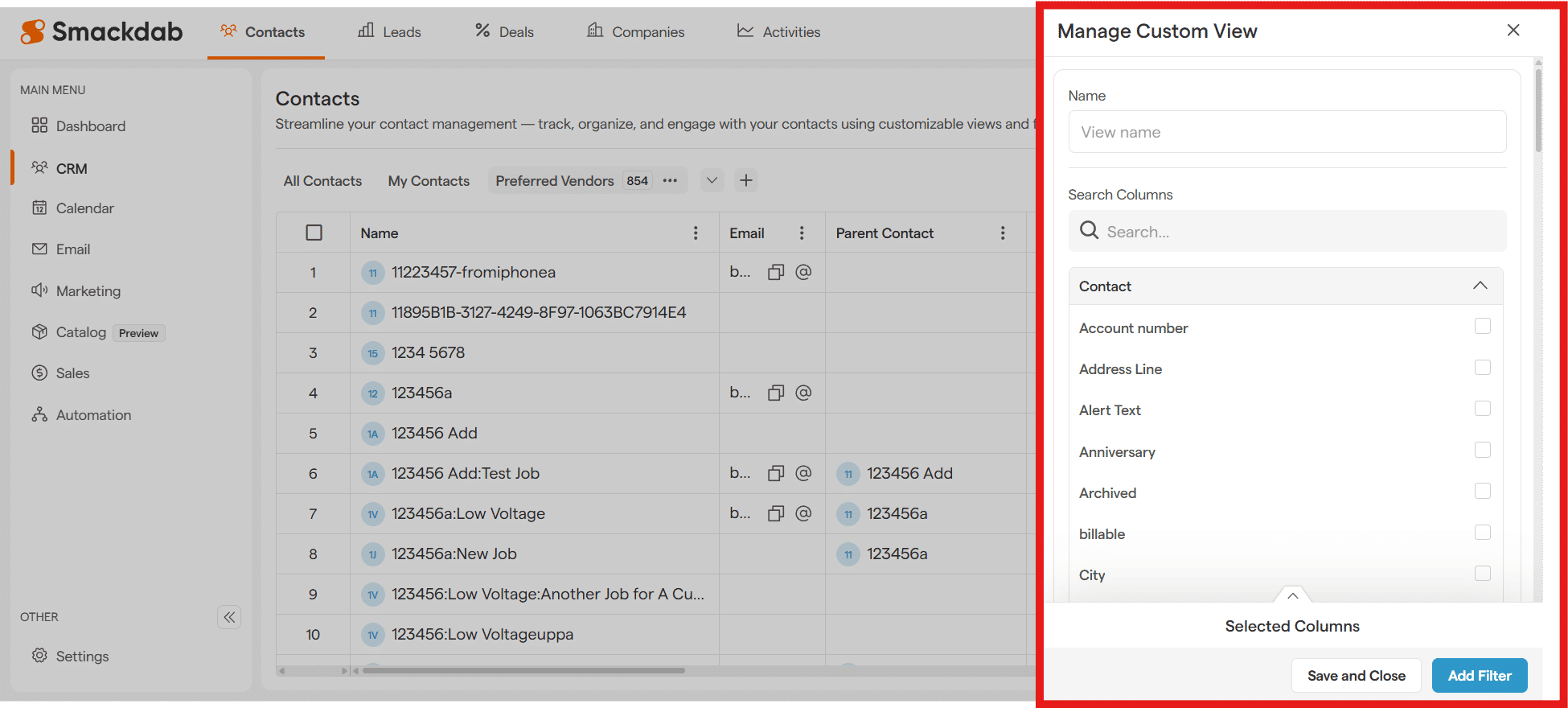
Configure filters and conditions as needed.
-
Select Save and Close
Your custom view will be added to the view list and can be reused anytime.
Key Benefits of Templated Views
Quickly access commonly used record lists
No need to manually set filters every time
Easy switching between multiple views
Improved productivity and cleaner data organization
Templated views help you work smarter by giving you instant access to the most relevant data in your CRM.