

Do you work with businesses that have multiple subsidiaries, franchises, or locations? Smackdab makes it easy to keep these complex relationships organized with our Parent Company feature!
A parent company is the central organization that oversees one or more "child" companies or subsidiaries. By linking them in Smackdab, you get a clear, top-down view of your client accounts, helping you manage strategies and resources more effectively. You can link up to five child companies under a single parent company.
Ready to streamline your account management? Here's how to get started.
How to Enable the Parent Company Feature
You can activate this feature in just a few clicks.
-
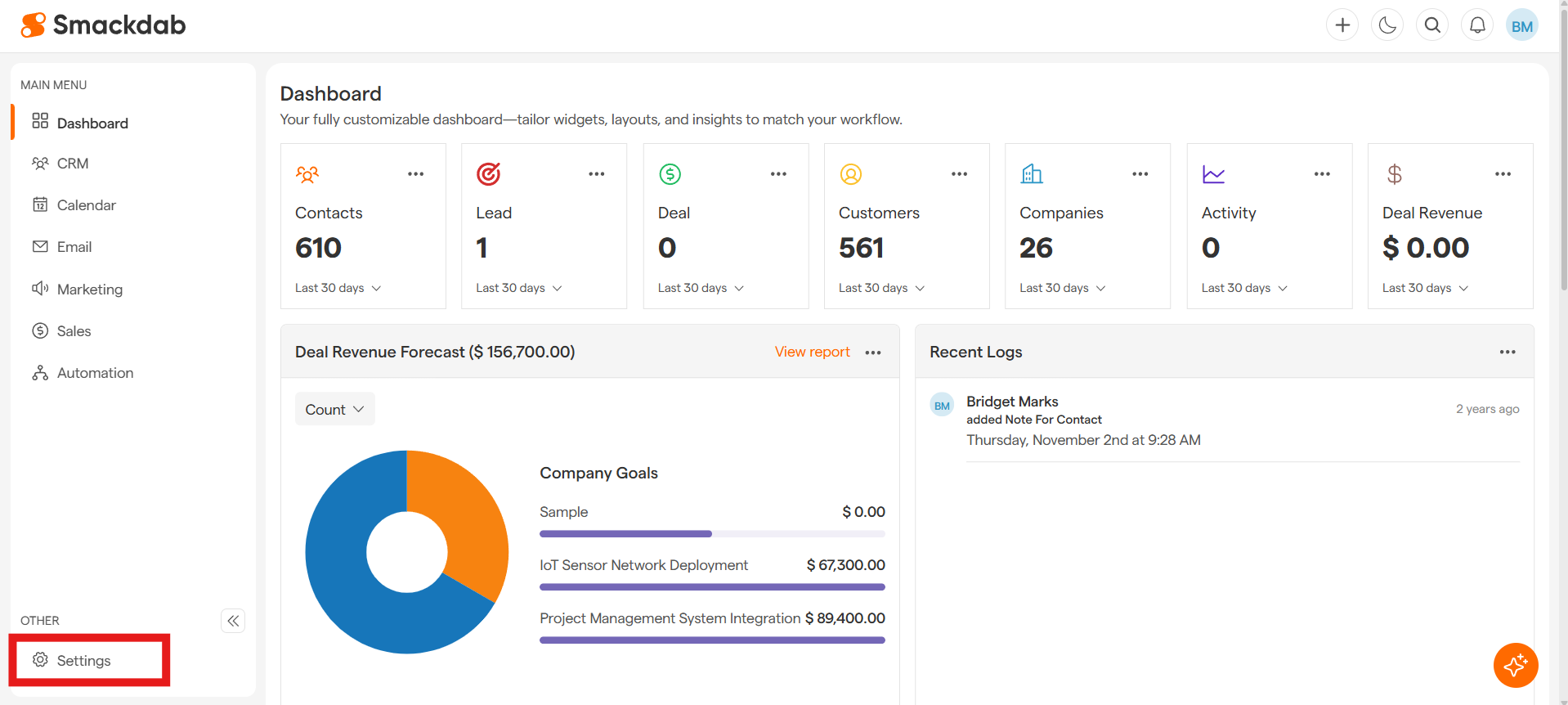
Navigate to Settings.
-
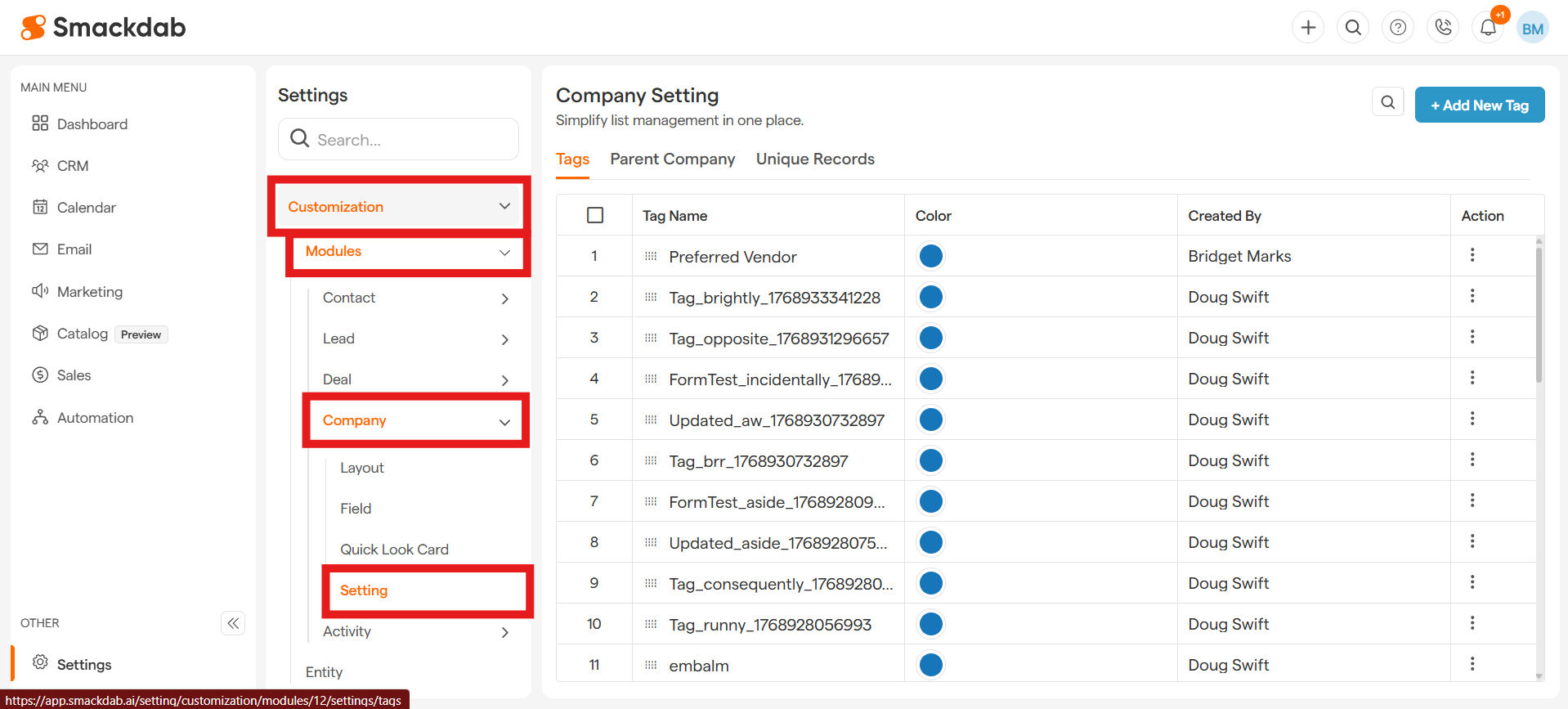
Under the Settings menu, select the Customization dropdown, then select Modules dropdown, then select Company dropdown, then select Setting.
-
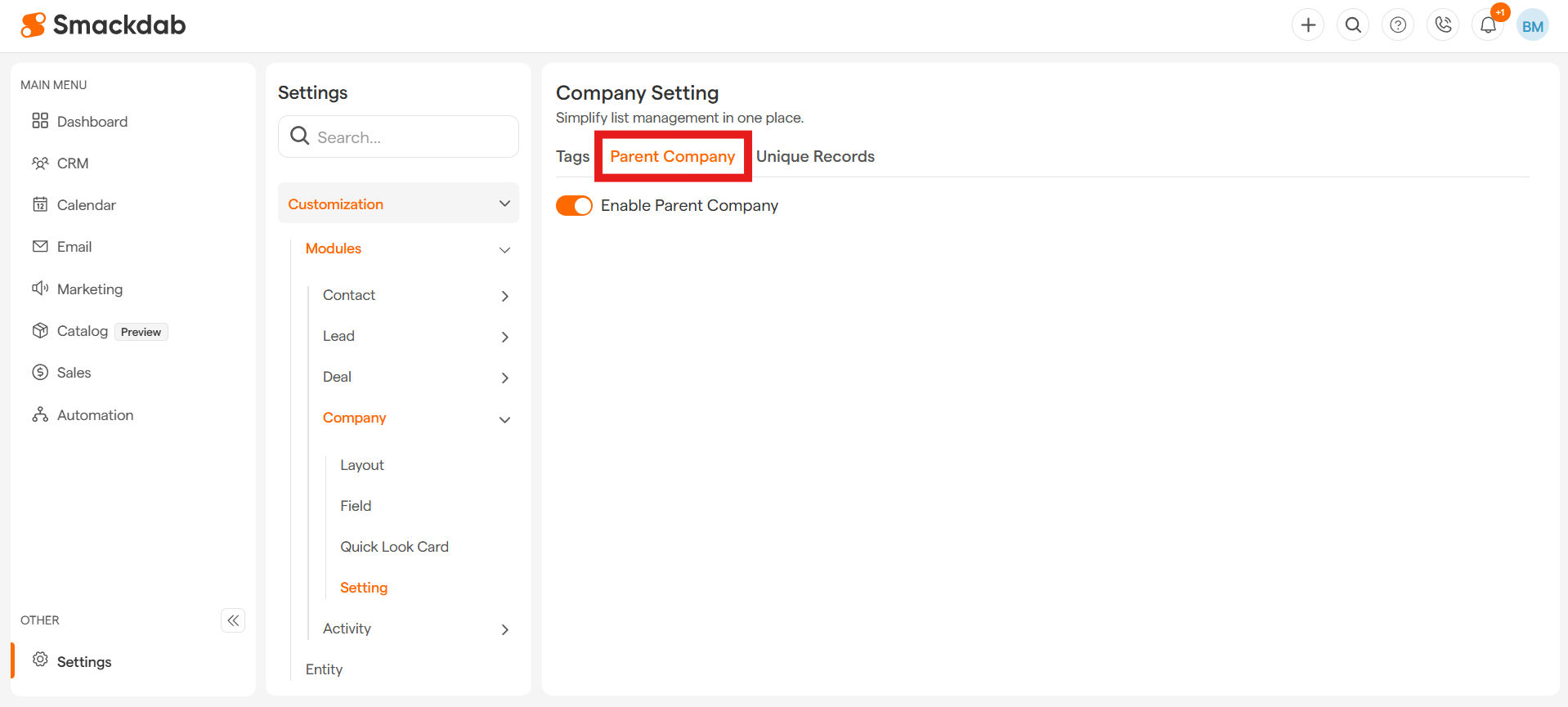
Click on the Parent Company tab
-
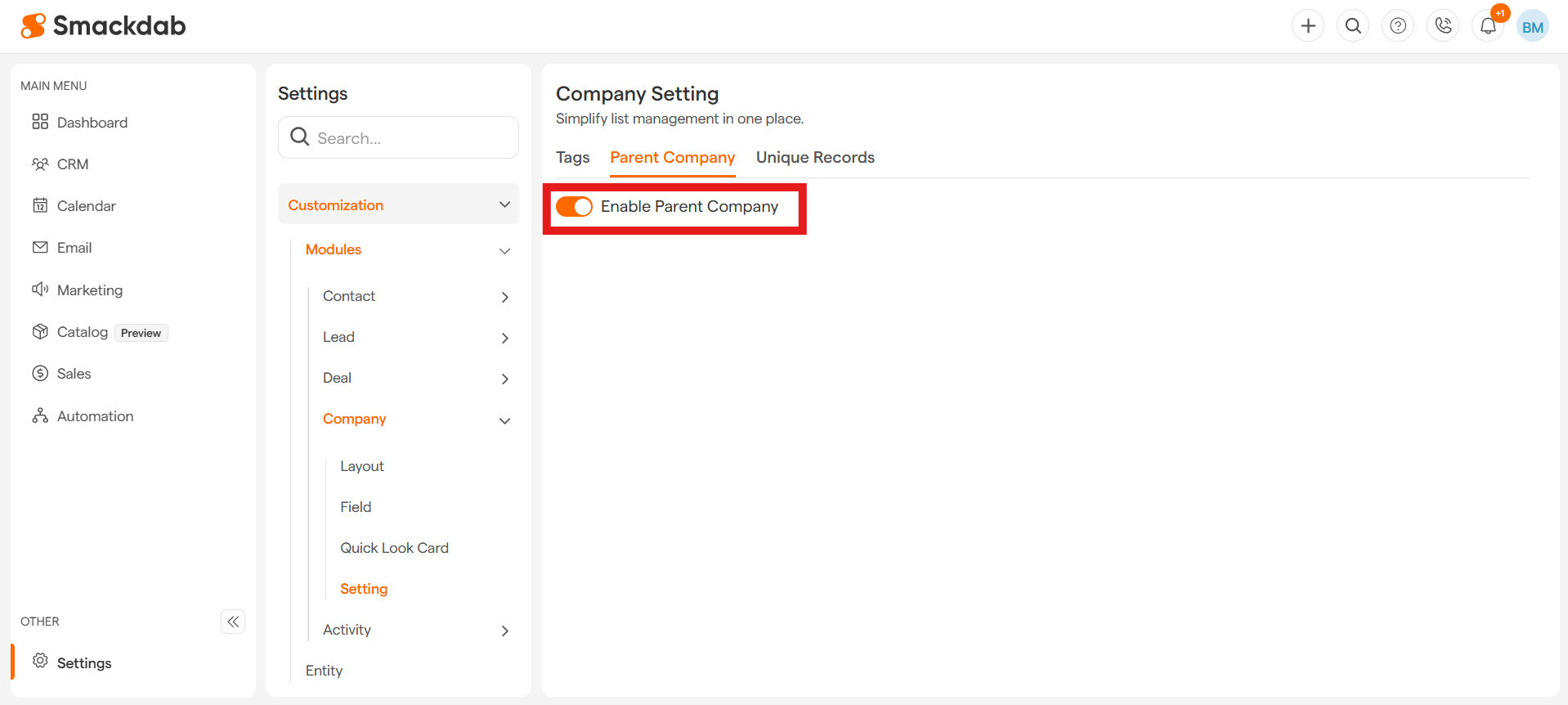
Simply flick the toggle to enable the feature.
What happens next?
When Enabled: You'll now see a "Parent Company" field whenever you add or edit a company. You can then easily select the appropriate parent company from a dropdown list.
When Disabled: The "Parent Company" field will be hidden from your forms, keeping your layout simple if you don't need this feature.
It's that easy to create a powerful hierarchy for your company records and keep everything perfectly organized!