

Want to stay updated on important companies?
Smackdab.ai makes it easy! With the Follow Company feature, you’ll get instant notifications whenever there’s an update—whether it's a phone number change, a new email, or any other key detail.
How to Follow a Company
-
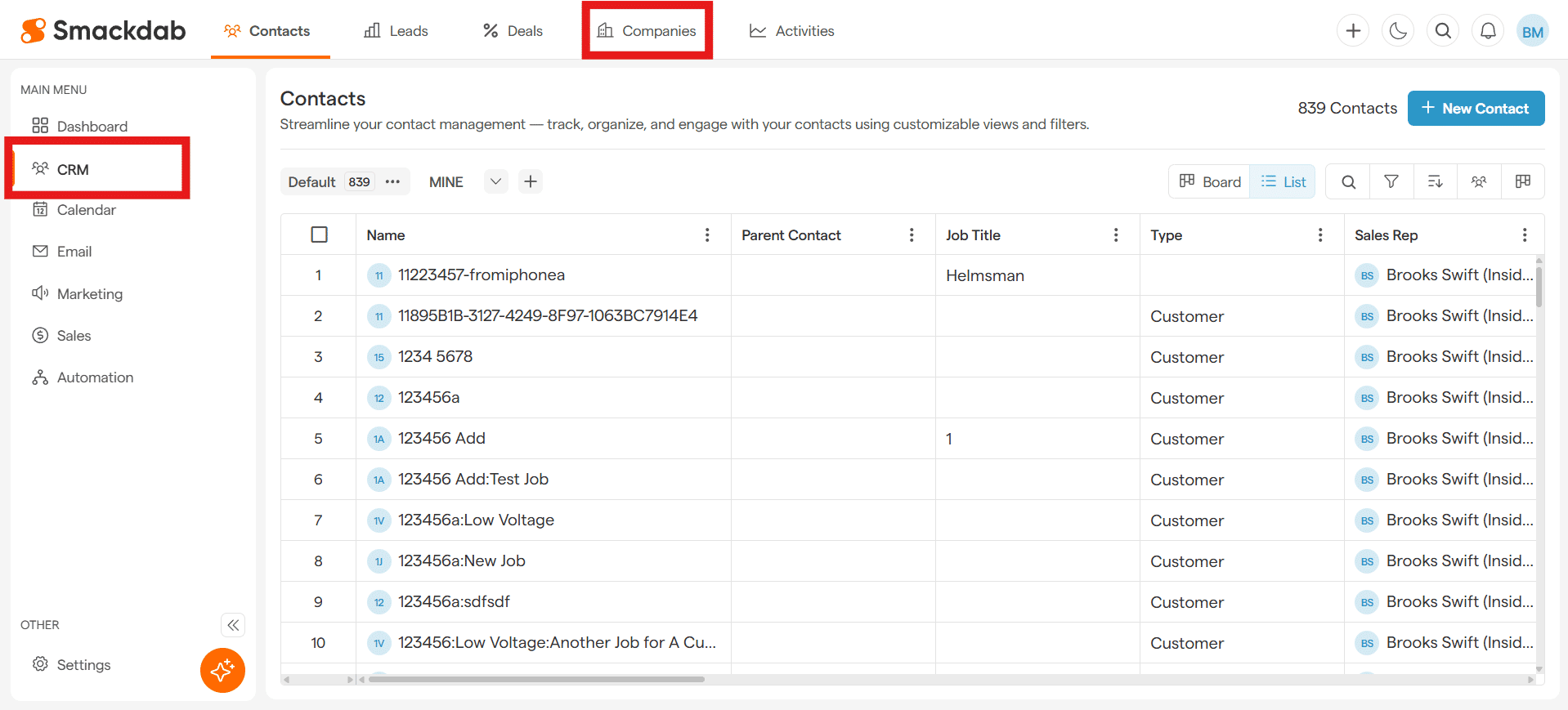
Navigate to Companies
After selecting CRM from the Main Menu, select Companies from the top menu bar.
-
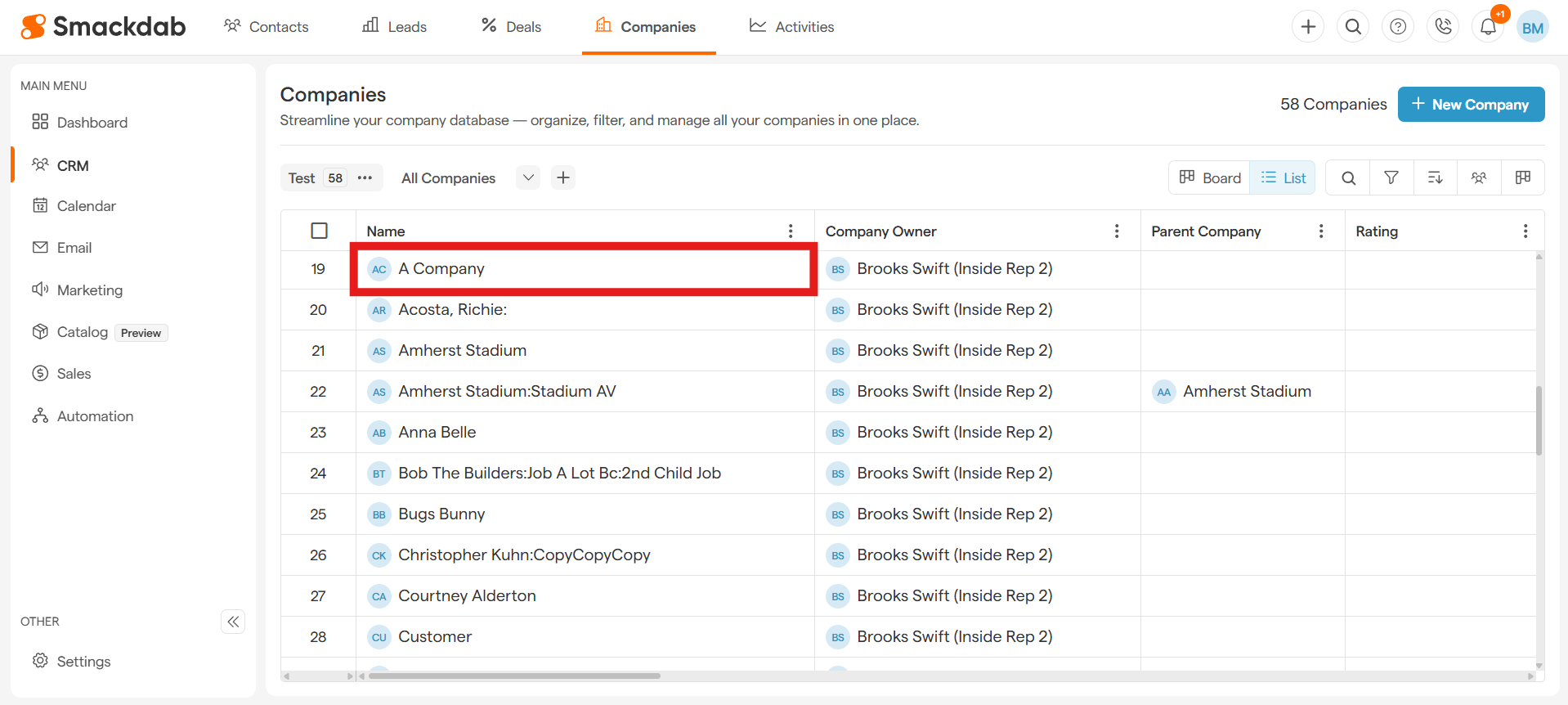
Select a Company
Click on the company you want to follow under Name.
-
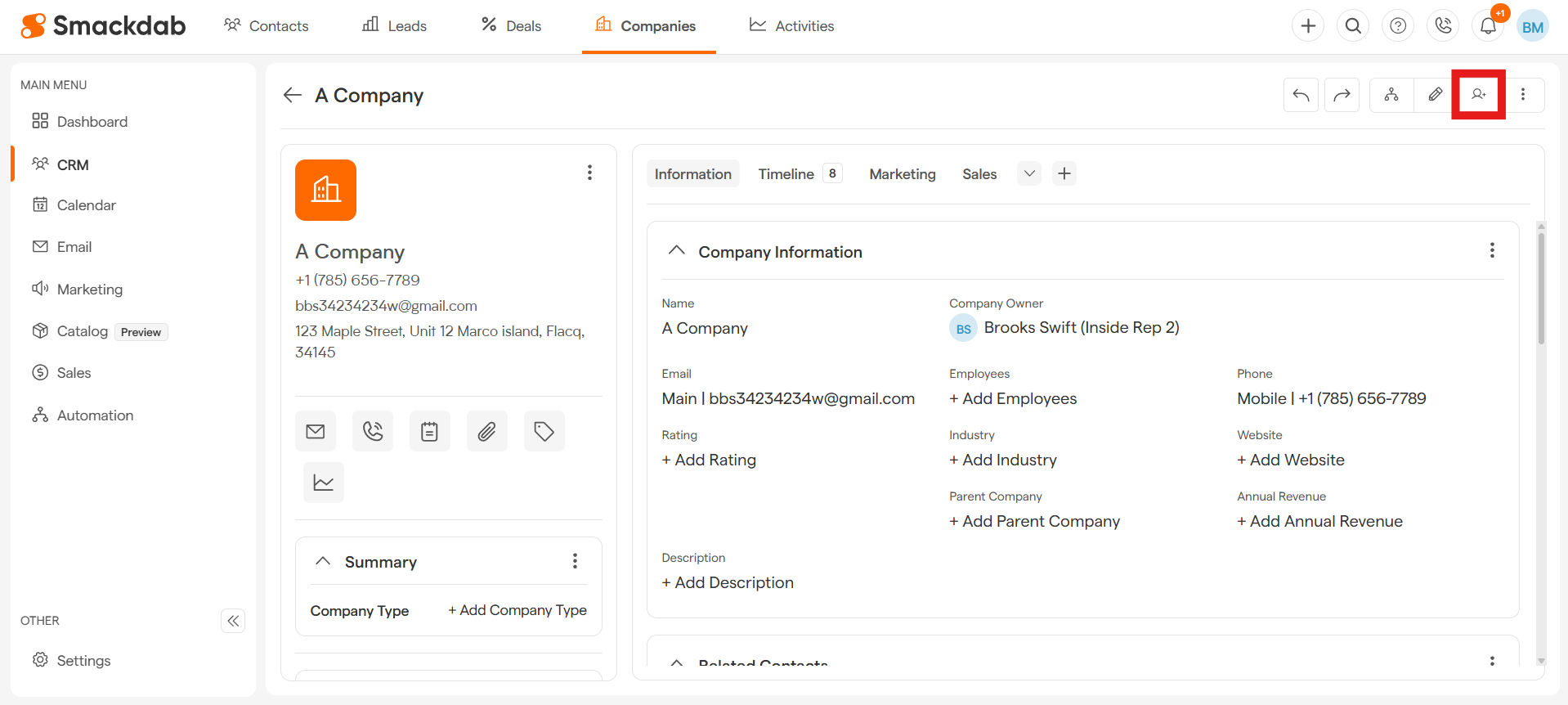
Select Follow
-
Select Add Me
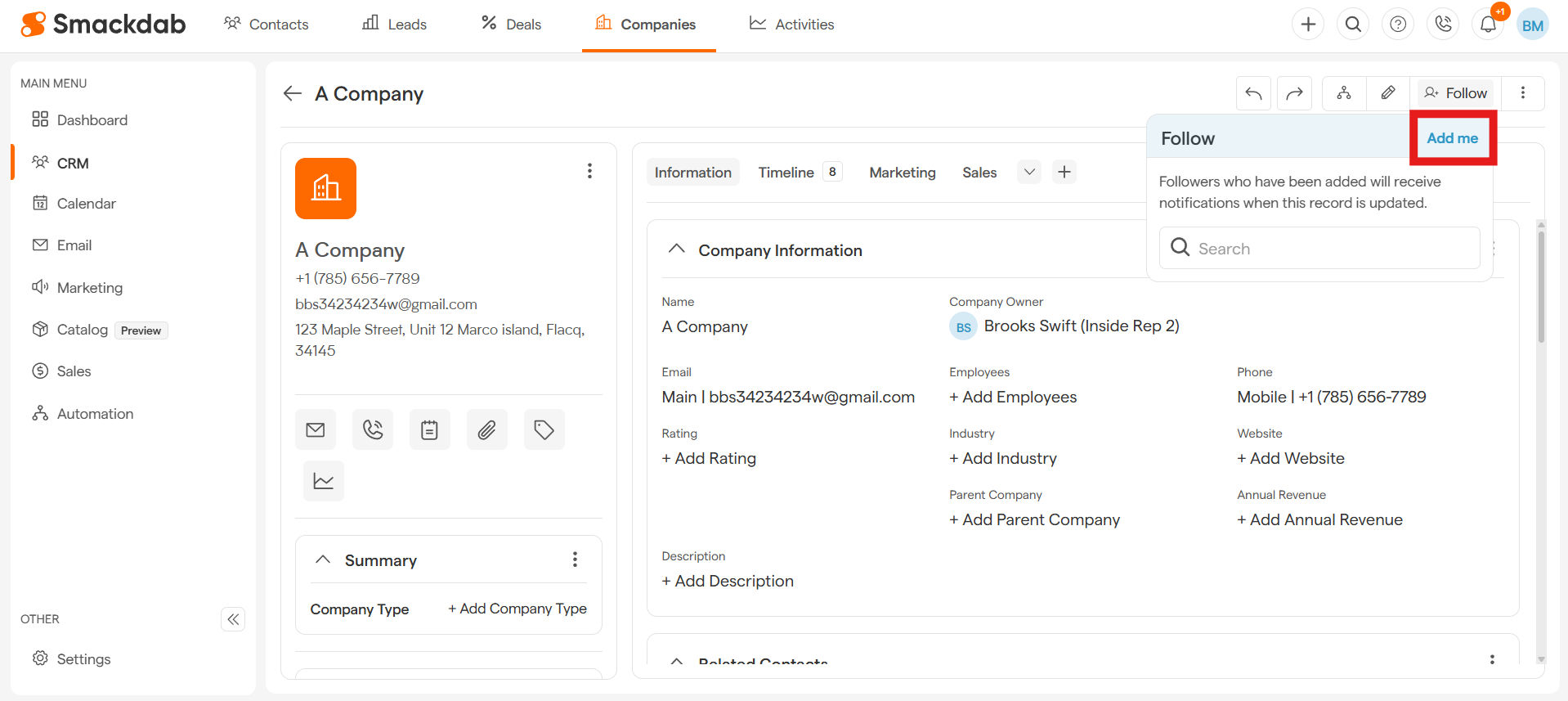
Now, anytime there’s a change, you’ll receive an alert. It's that simple and quick!
Follow Multiple Companies at Once
Why follow companies one by one when you can do it all at once? Save time and effort by following multiple companies in just a few clicks! Here’s how:
-
Navigate to Companies
After selecting CRM from the Main Menu, select Companies from the top menu bar.
-
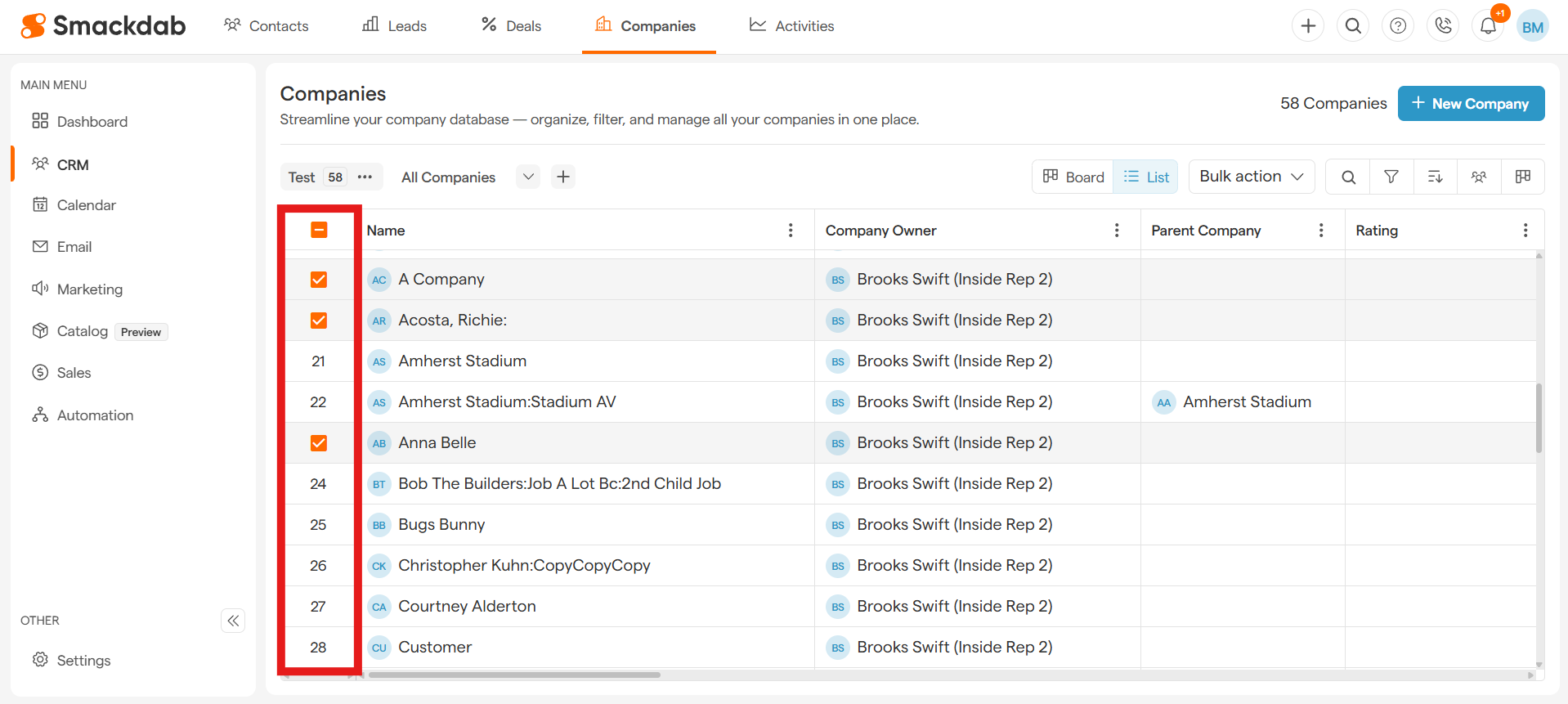
Select Multiple Companies
Use the checkboxes next to each company in the list to pick the ones you want to follow.
-
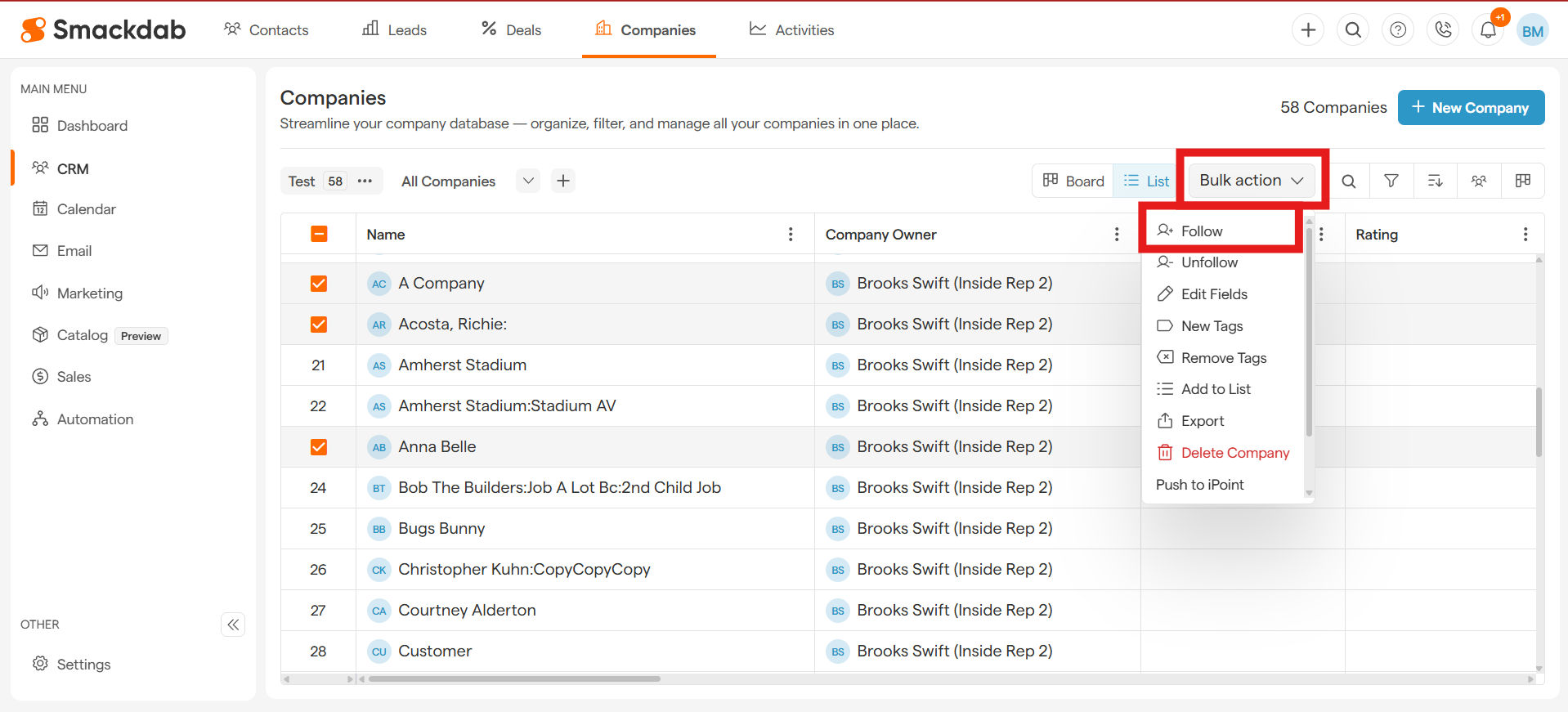
Select Follow
Once you've selected the companies, simply select the Bulk Action button on the top-right and hit Follow.
-
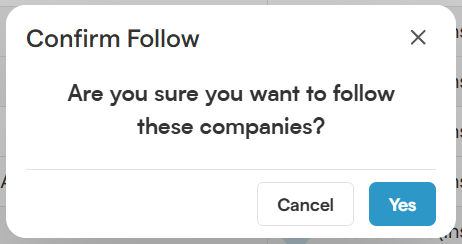
Confirm Follow
Select Yes to confirm.
That’s it! No more missing out on important updates—stay informed, stay ahead!
How to Unfollow a Company
Want to stop receiving updates for certain companies?
No problem! Simply follow the same process—select the companies, click on the Bulk Action button at the top, and this time, hit Unfollow.
Stay in control of your notifications with just a few clicks!