

Didn't update everything while creating a company?
No worries! You can update it in seconds—quick, easy, and hassle-free!
Whether it’s a new website, phone number, or industry update, you can tweak details in just a few clicks—keeping your company records accurate and up to date without any hassle!
How to Update Company Details
-
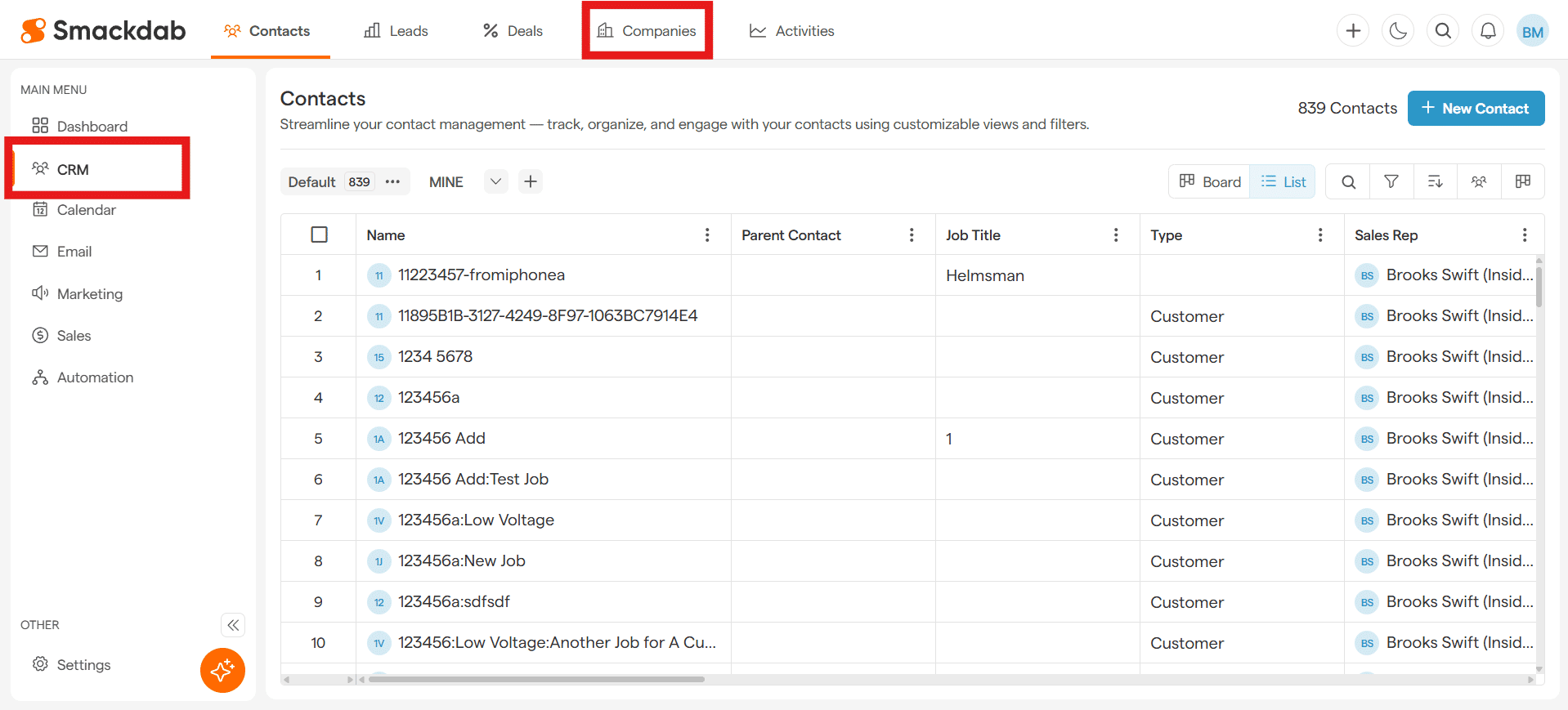
Navigate to Companies
After selecting CRM from the Main Menu, select Companies from the top menu bar.
-
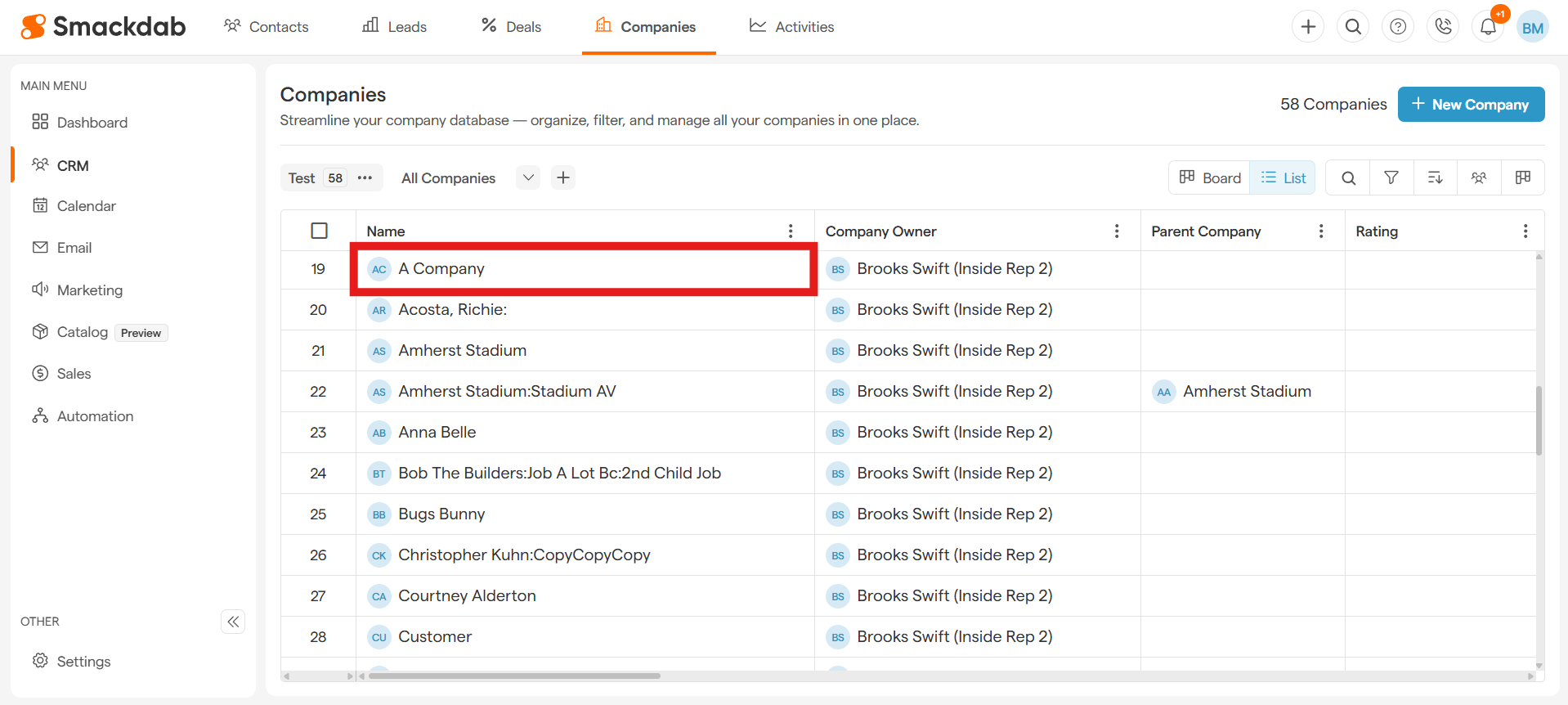
Select a Company
Click on the company you want to update under Name.
-
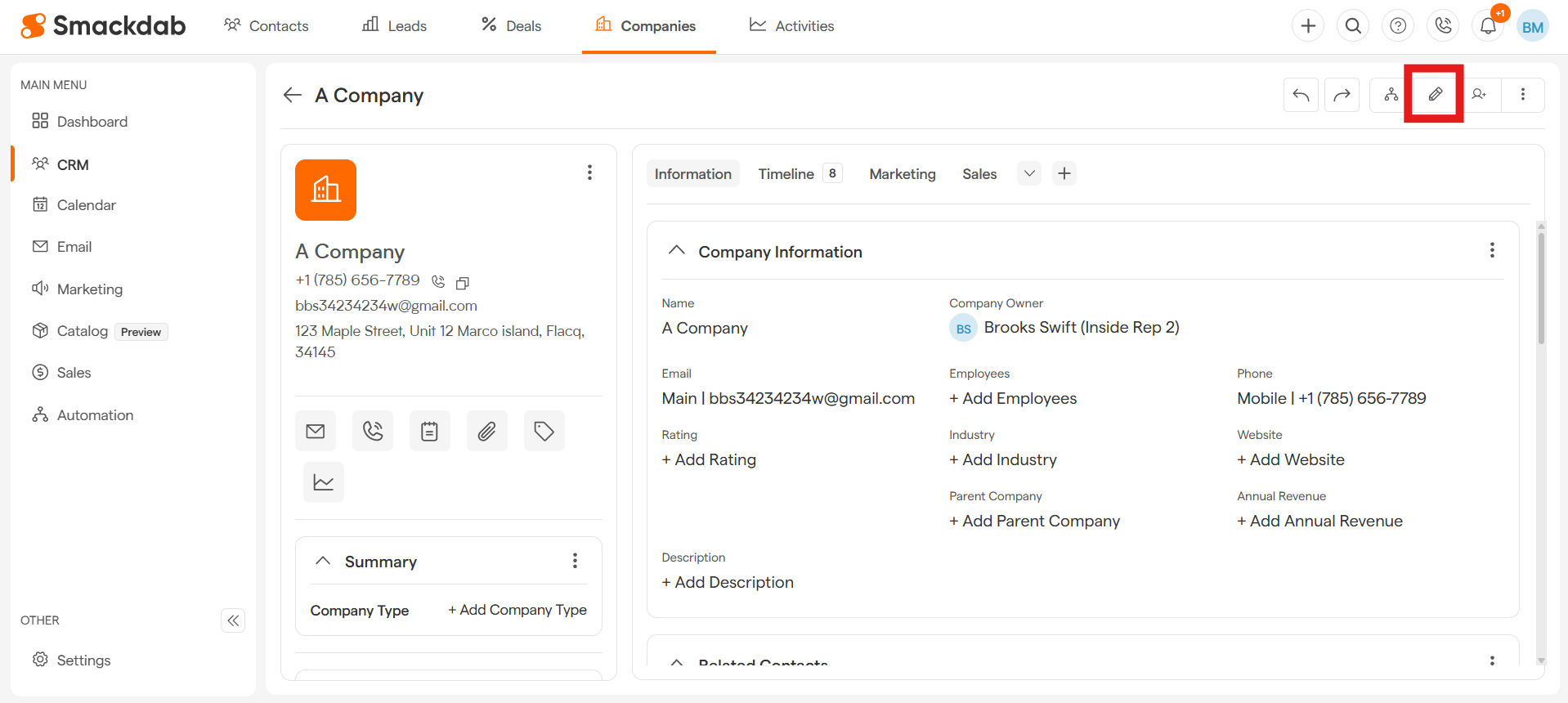
Select Edit
-
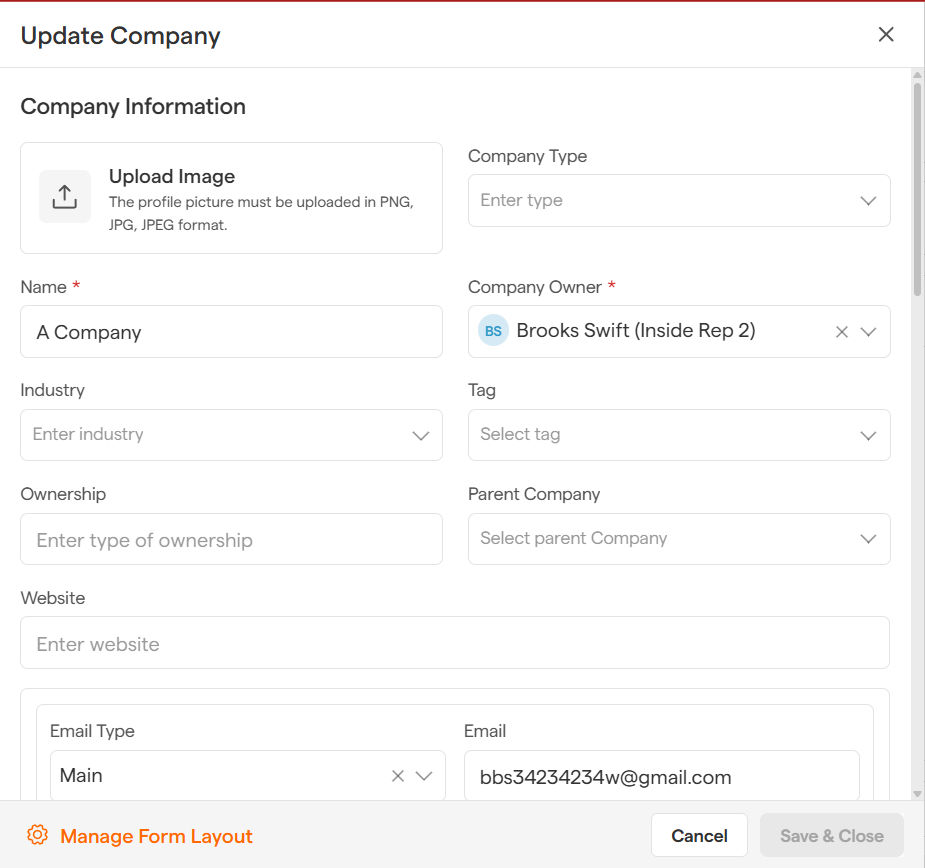
Update Company
Update ownership, contact information, etc. - just like when you first added the company. The process stays the same and is just as simple, making updates quick and effortless!
-
Save & Close
Hit Save & Close, and boom—your company is refreshed instantly!
With just a few clicks, your company records stay up to date, helping you maintain accuracy and efficiency without any hassle.