

Need to remove a company from Smackdab.ai?
No worries! You can easily delete a company in just a few clicks. Keep your company list clean and organized by removing companies that are no longer relevant.
Let’s walk you through the process!
How to Delete a Company
-
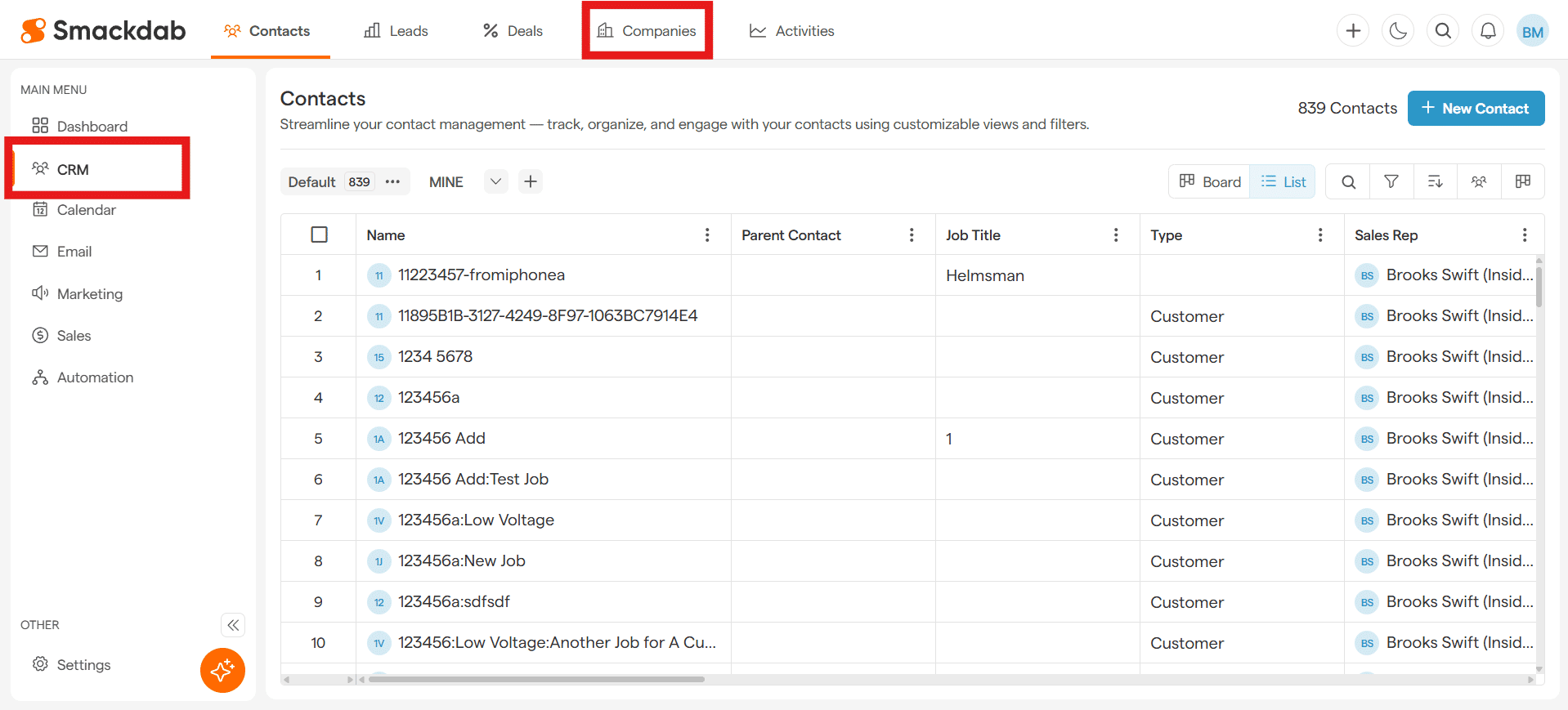
Navigate to Companies
After selecting CRM from the Main Menu, select Companies from the top menu bar.
-
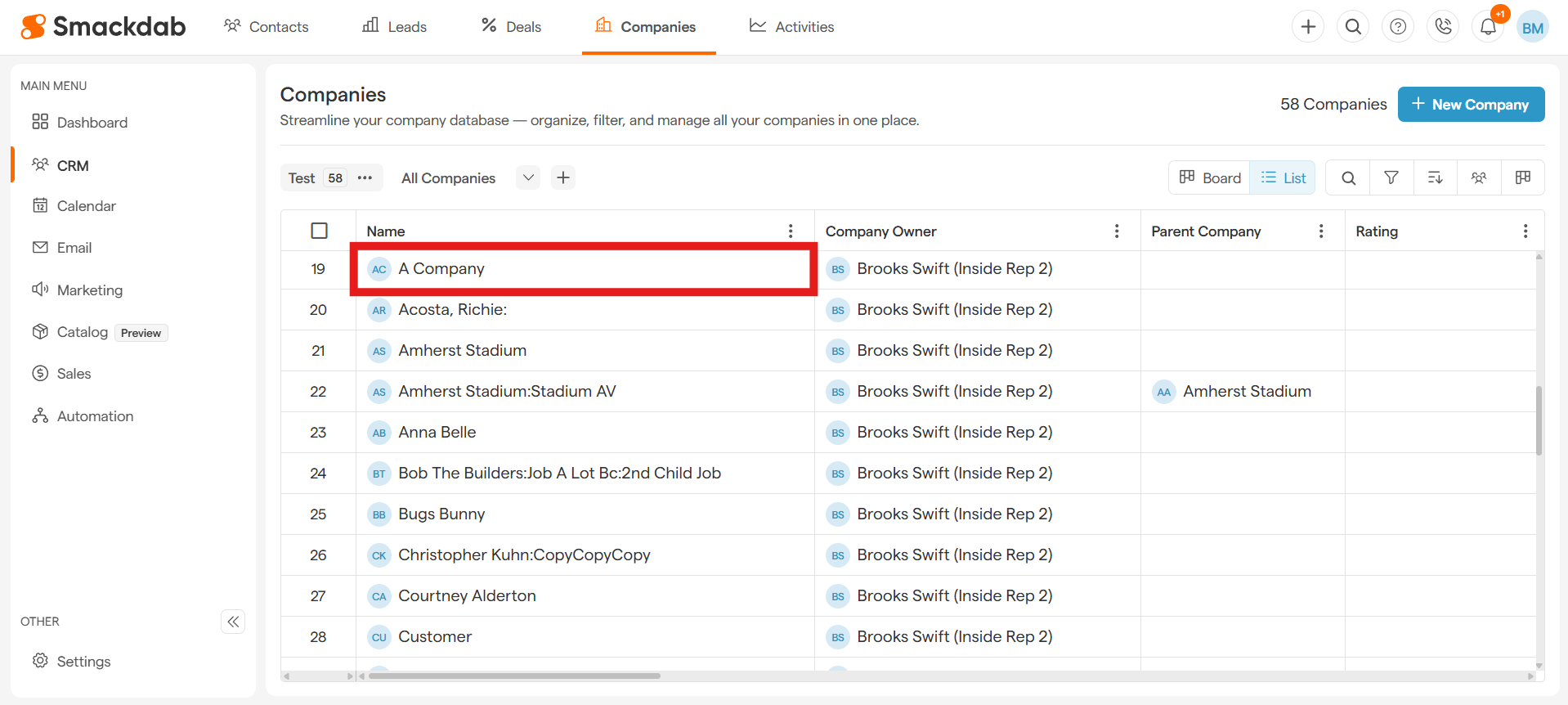
Select a Company
Click on the company you want to delete under Name.
-
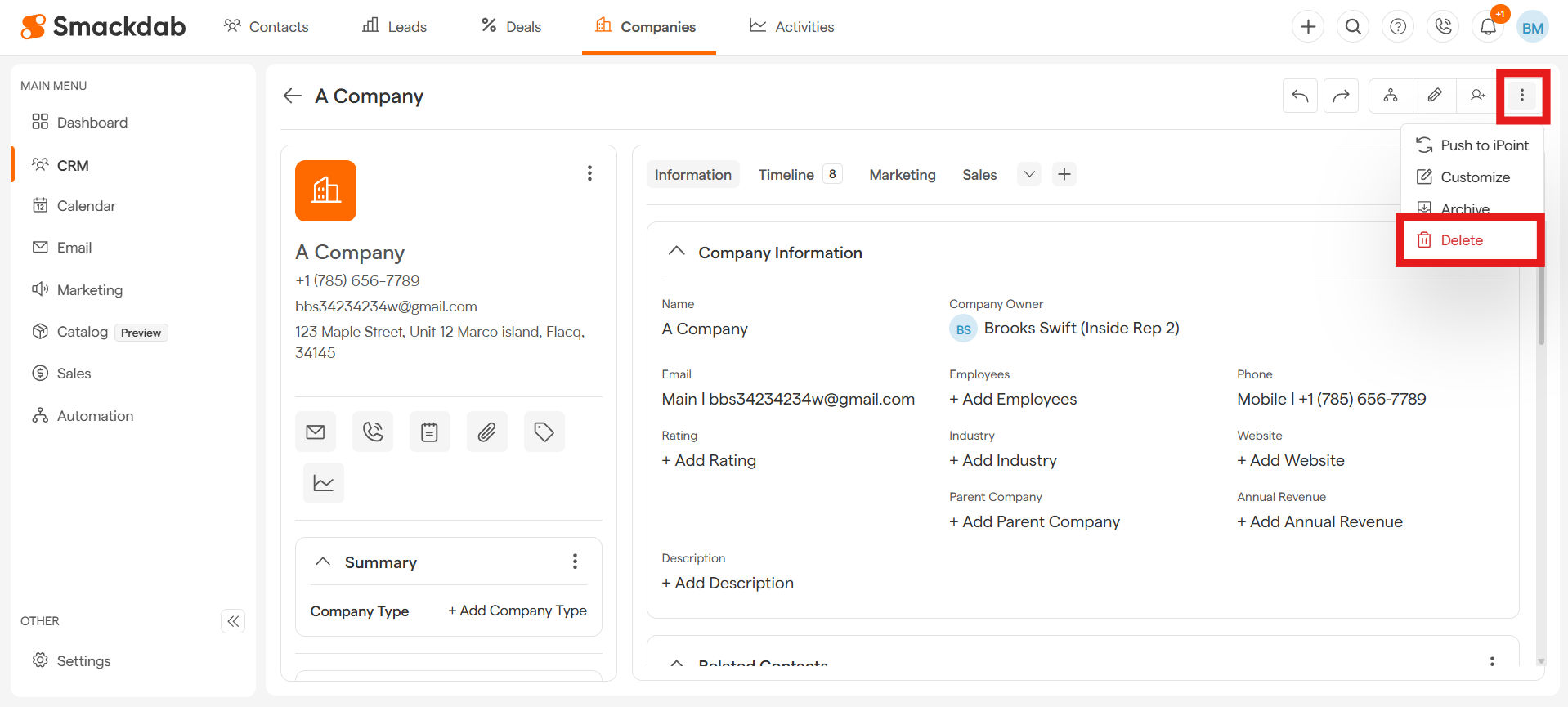
Click on the Ellipsis Menu
Click on the Ellipsis menu in the top, right corner, then select Delete.
-
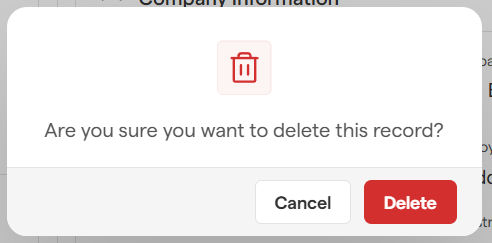
Confirm or Cancel
A confirmation pop-up will appear. Simply click Delete to finalize the removal.
Changed your mind? No worries! Just hit Cancel to keep the company's details.
Deleting Multiple Companies in Smackdab
Need to remove multiple companies at once? Smackdab makes it quick and effortless! Here’s how you can do it in just a few steps:
-
Navigate to Companies
After selecting CRM from the Main Menu, select Companies from the top menu bar.
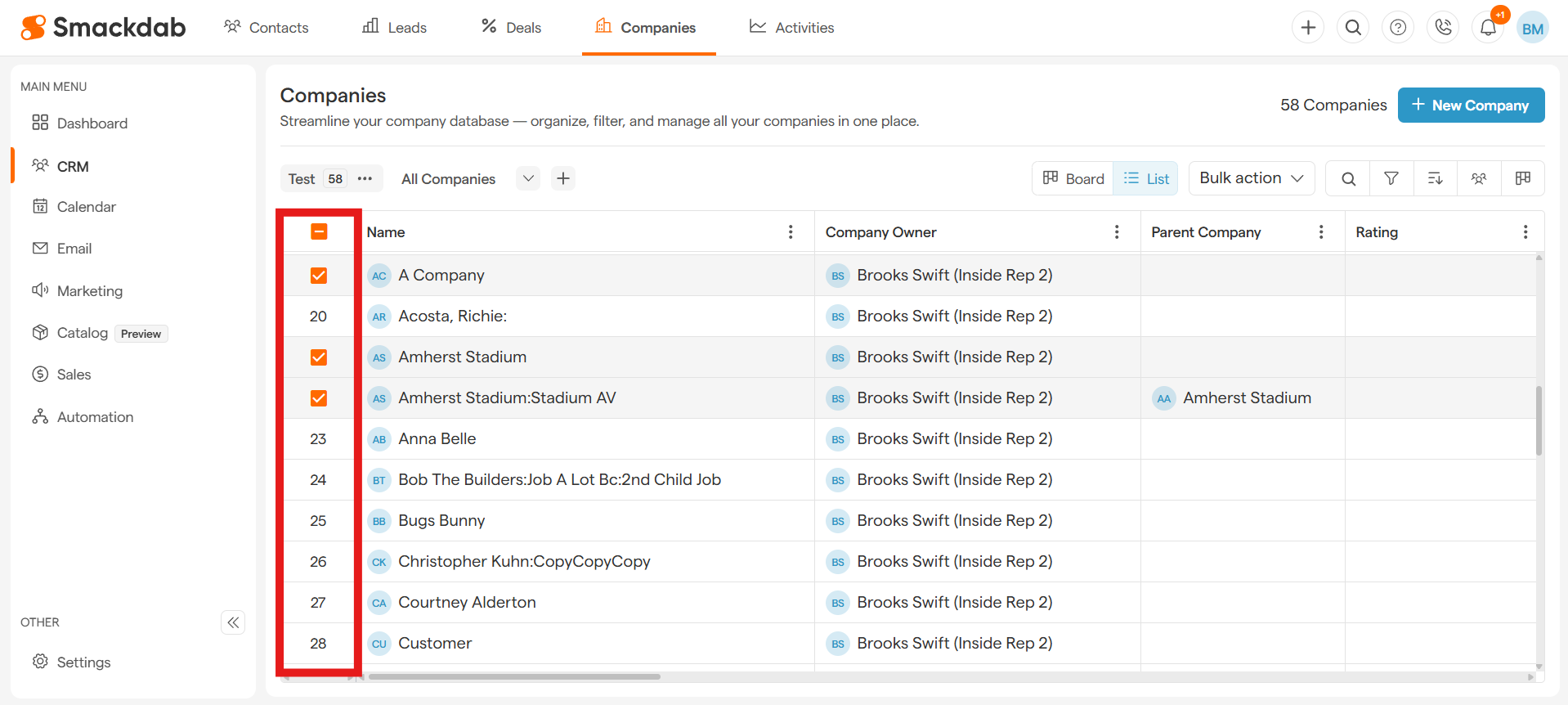
Select Companies
Hover over the numbers in the left column to select the checkboxes next to each company you want to delete.
-
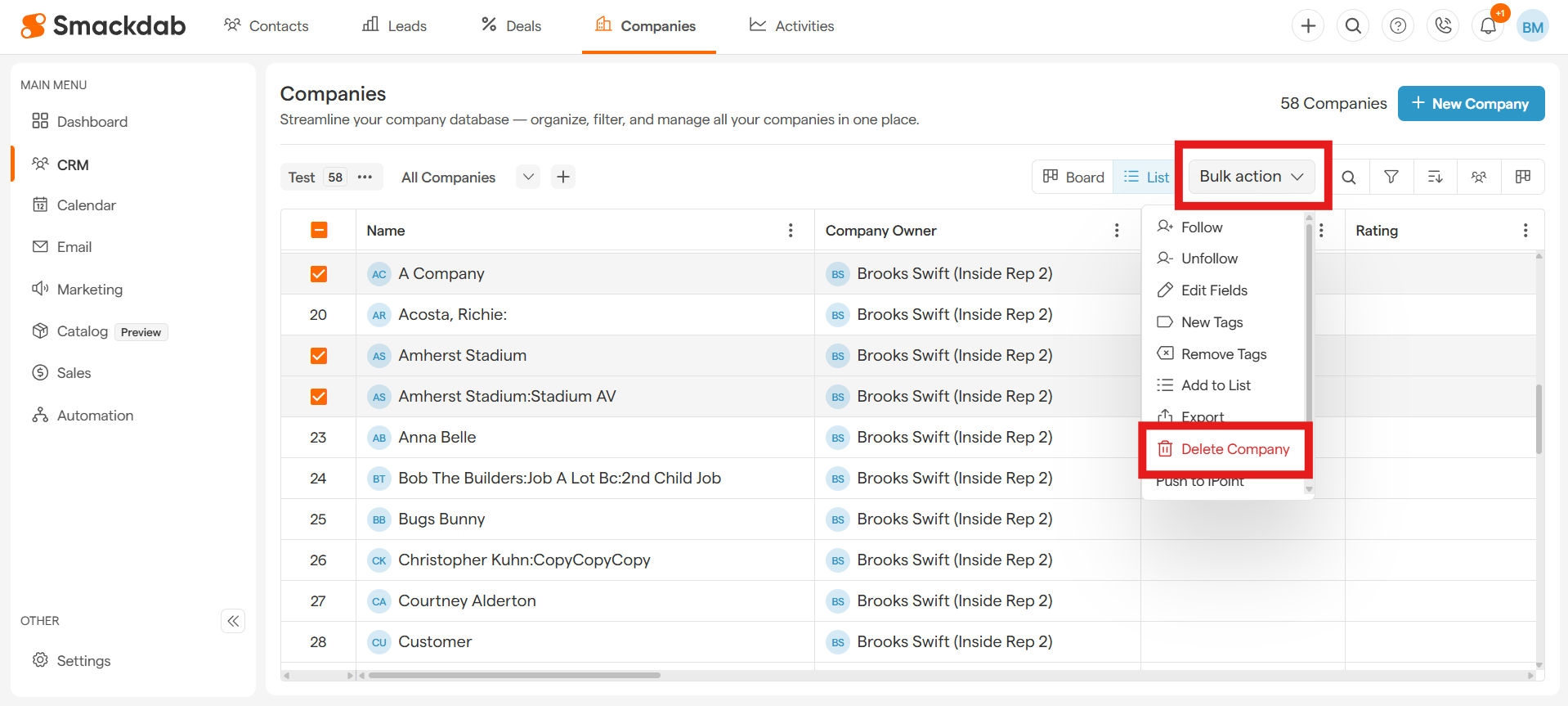
Delete Company
Once you've selected the companies, simply select the Bulk Action button on the top-right and hit Delete Company.
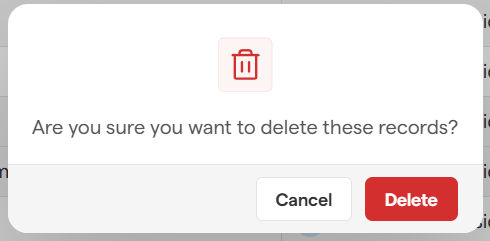
Confirm Delete
A pop-up will appear. Click Delete to finalize or Cancel if you change your mind.
Think twice before deleting! While you can restore companies within 7 days, once permanently deleted, they’re gone for good.
Need to restore a deleted company? Learn how to restore companies Recovering a Deleted Company