

Unlock a Unified View: Introducing Calendar Sources in Smackdab!
Get ready for a clear, comprehensive, and totally unified view of all your scheduled engagements with Smackdab's Calendar Sources feature! Imagine seeing everything in one place – making planning, coordination, and time management easier than ever.
What Powers Your Smackdab Calendar?
Your Favorite External Calendars: Seamlessly connect Google Calendar, Outlook Calendar, and more!
All Your CRM Activities: Keep track of meetings, follow-ups, and other important tasks right within your calendar.
Custom Events, Tailored to You: Any custom items you've created in the system and tagged as an "Event" will be right there too!
By bringing all these event types together, Smackdab helps you master your schedule and say goodbye to conflicts. Let's dive into how you can view, configure, and manage your calendar sources to perfectly match your workflow!
Sync Your External Calendars with Ease!
Want to see events from your go-to external calendar in Smackdab? It's simple!
Just head over to: Settings → Personal → Personal Calendar.
From there, you can connect either your Google Calendar or Outlook Calendar.
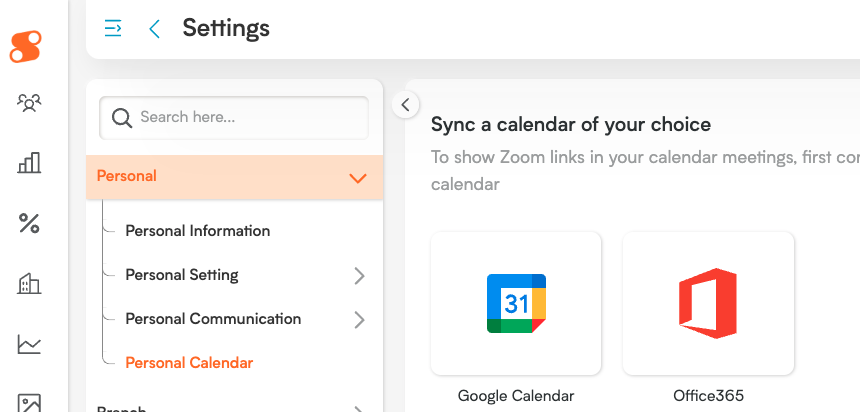
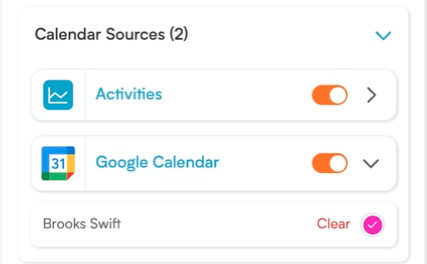
Once you're connected, events from your linked calendar will automatically sync and appear in your Smackdab calendar. You'll also see your connected calendar pop up in your Calendar Sources list.
Customize Your View:
Show or Hide: Easily toggle the visibility of events from your external calendar within Smackdab.
Add a Splash of Color: Personalize event colors to visually distinguish them on your calendar.
This way, you get a clear, organized view that's perfectly tailored to how you work!
CRM Activities: All in One Place!
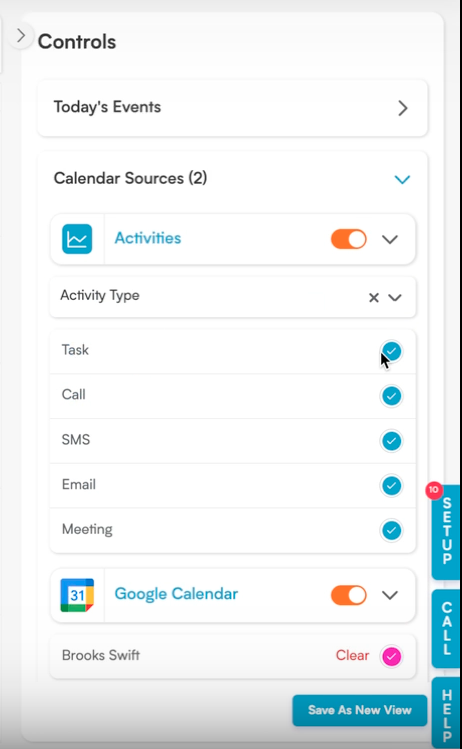
All your important activities created within Smackdab CRM – like meetings, follow-ups, and scheduled tasks – are automatically displayed on your calendar. They're neatly grouped under a single Calendar Source called "Activities."
Effortless Control:
Toggle Visibility: You can show or hide all your CRM activities at once. This makes it super easy to focus on what you need, when you need it.
This unified control means less fuss managing individual items and more flexibility to keep your calendar organized and your CRM events readily accessible.
Custom Events: Your Schedule, Your Way!
Smackdab's Calendar also brilliantly displays custom items you've designated as an "Event."
When you create a custom entity and mark it as an "Event," it automatically appears as a new, distinct source in your Calendar Sources list. If you have several custom event types, each will show up separately, keeping things clear.
For Each Custom Source, You Can:
Choose to Show or Hide: Decide which custom events you want to see on your calendar at any given time.
Stay Organized: Manage these custom events independently for a super tidy view.
This amazing flexibility allows you to personalize your Smackdab calendar experience, bringing together all your crucial scheduling information from every source into one seamless and powerful interface!