

Contacts are essential for managing business interactions. These are individuals with whom you engage, and they hold critical information such as mobile numbers, alternate phone numbers, email addresses, and more.
In Smackdab, contacts are stored in the Contacts section, making it easy to track and manage your interactions with individuals effectively.
Key Points
A contact can be a member of a Company.
Contacts can have relationships with other Contacts.
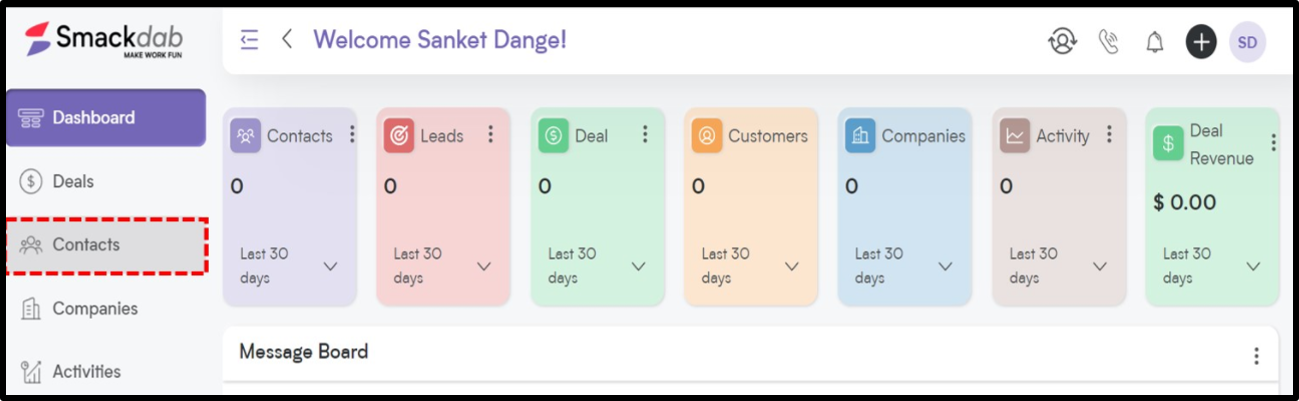
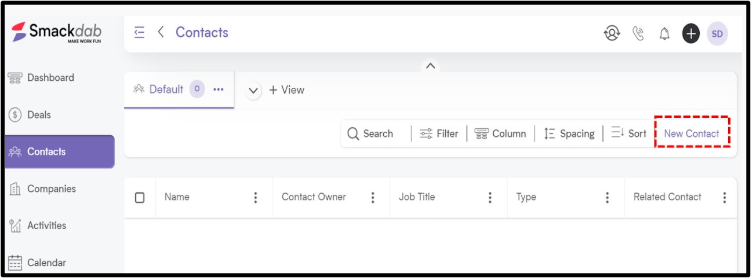
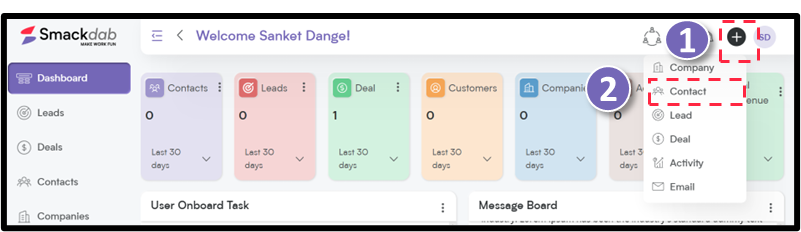
Adding contacts is a simple process accessible from multiple locations within Smackdab.
Adding a Contact:
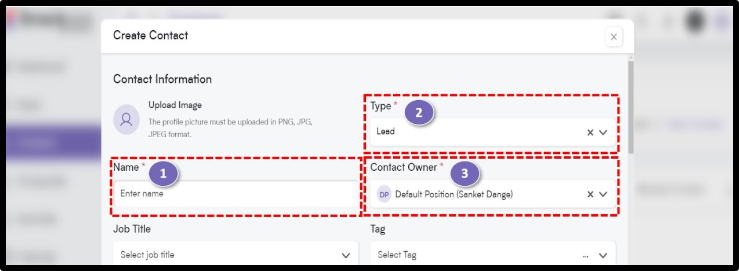
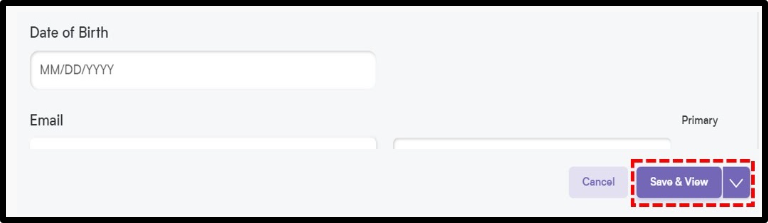
To add a contact into Smacktab CRM:
|  |
|---|---|
|  |
|  |
|  |
|  |
That's how quick and easy it is to create a contact in Smackdab CRM!
Smackdab CRM dose not allow duplicate contact entries with the same name and email address, ensuring clean data management